


Modern eCommerce shoppers expect fast, frictionless product discovery. They don’t want to scroll endlessly, compare dozens of similar items, or work hard to find what they’re looking for.
When product catalogs grow, that expectation becomes harder to meet, and without the right tools, shoppers quickly feel overwhelmed. Large catalogs without effective filtering create friction, decision fatigue, and missed revenue opportunities. Visitors bounce, products go unseen, and conversion rates suffer.
This is where eCommerce filters come in.
Done right, eCommerce filters are a powerful UX tool, a conversion driver, and a direct lever for increasing revenue.
In this article, we’ll break down what eCommerce filters are, why they matter, and how to use them correctly to create faster, more intuitive shopping experiences that actually convert.
What Are eCommerce Filters?
eCommerce filters, often called faceted navigation, allow shoppers to narrow down product listings based on specific criteria.
Instead of browsing an entire category, users can refine results to show only the products that match their preferences, making large catalogs feel smaller and easier to navigate.
Common eCommerce filters include price ranges, product categories, and attributes like size, color, brand, or material.
Many stores also offer filters for customer ratings, availability, or special conditions like “on sale” or “in stock”. For example, a shopper looking for running shoes might filter by size, color, brand, and price to quickly find the right fit.
Filters are especially important for medium to large product catalogs, where manual browsing isn’t practical.
They’re also critical for mobile shopping, where screen space is limited, and for category-driven shopping behavior, where users know roughly what they want but need help finding the best option fast.
Why eCommerce Filters Matter?
As product catalogs grow and shopper expectations rise, eCommerce filters have become essential, shaping how easily customers find products, make decisions, and complete purchases.
Filters Reduce Friction and Decision Fatigue
When users are presented with hundreds of similar products, decision-making slows down, confidence drops, and frustration builds. This is one of the most common reasons visitors abandon category pages without taking action.
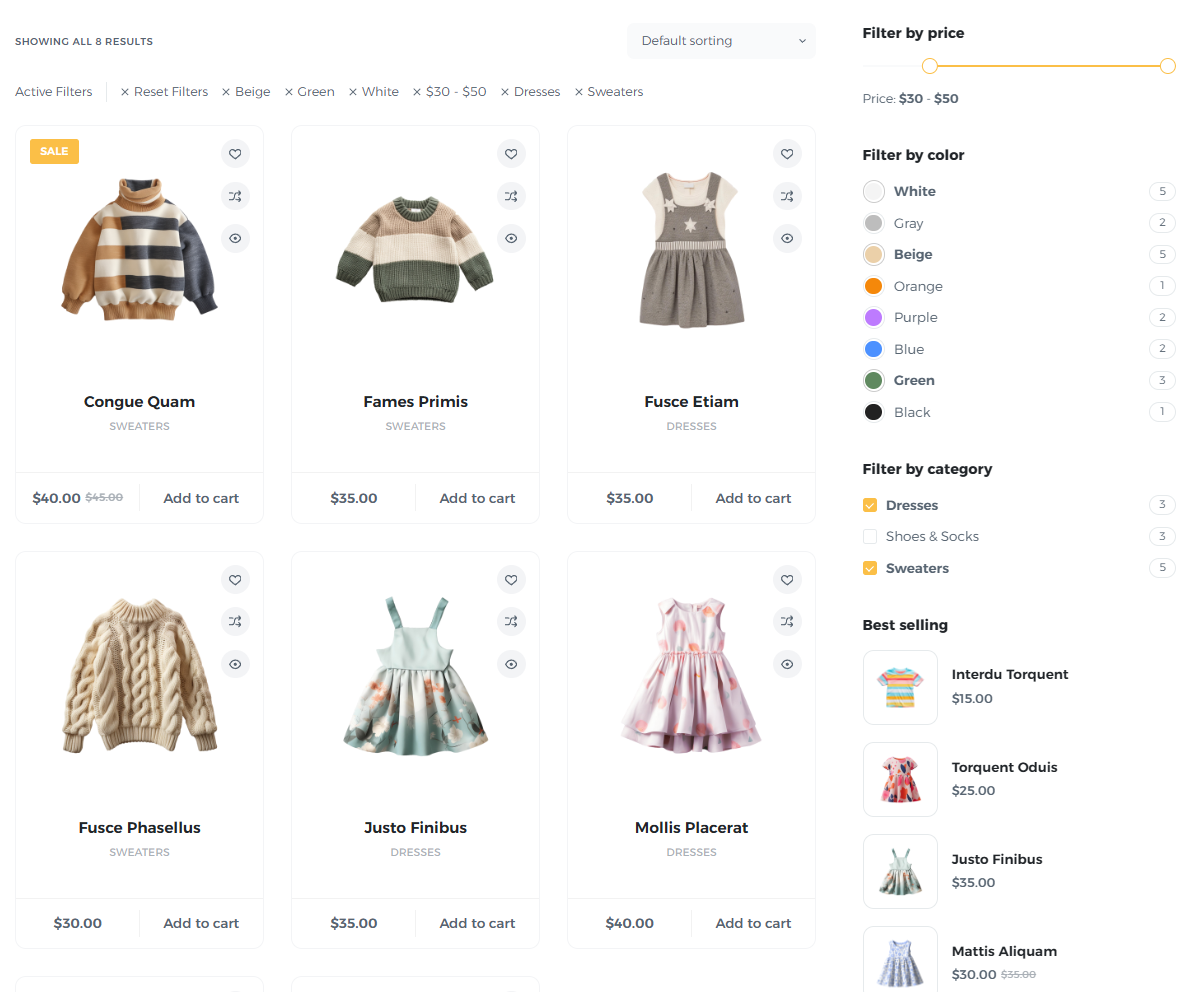
Well-designed filters remove that friction by helping shoppers narrow their options based on what actually matters to them. Instead of scanning endless grids, users can instantly focus on products that fit their size, budget, style, or requirements. This creates a sense of control throughout the shopping experience and improves product visibility.
The result is faster decision-making and less cognitive effort.
When customers can quickly eliminate irrelevant products, they’re more likely to feel confident in their choices. Confident shoppers are far more likely to continue browsing, add items to their cart, and complete a purchase.
Improve Conversion Rates
Shoppers who use filters are actively refining their options with the intent to buy.
By interacting with filters, users signal clear preferences, whether it’s a specific price range, brand, size, or feature. This makes them some of the most high-intent visitors on your site.
Effective filters ensure these shoppers see only the most relevant products, which increases engagement and reduces frustration. Instead of bouncing between pages or abandoning the search, users spend more time exploring items that closely match their needs.
This relevance directly impacts conversion rates. When filters are fast, accurate, and easy to use, they shorten the path to purchase. Shoppers reach suitable products sooner, encounter fewer obstacles, and are less likely to second-guess their decisions.
Increase Average Order Value
eCommerce filters don’t just help shoppers buy, they help them buy better.
When customers can easily refine product lists, they’re more likely to discover items that truly match their needs, preferences, and budgets. This often leads them toward higher-quality, premium, or better-featured products they may have missed otherwise.
For example, filters like price range, material, brand, or performance features can surface higher-margin items faster. Instead of settling for the first acceptable option, shoppers can compare products within a refined selection and choose the one that feels like the best fit.
This improved product discovery naturally increases average order value. Customers who feel confident in their choices are more willing to spend a little more, add complementary items, or upgrade to a better version.
Reduce Bounce Rates
When shoppers land on a category page and can’t quickly find what they’re looking for, they leave. Poor or missing filters force users to scroll endlessly, jump between pages, or restart their search. The result is higher bounce rates and lost opportunities.
Strong filtering keeps visitors engaged by giving them immediate control over what they see. When users can refine results within seconds, they’re far more likely to stay and explore.
Each interaction with a filter creates a small moment of progress, reinforcing that they’re getting closer to the right product. By reducing friction and surfacing relevant products early, filters encourage deeper browsing and longer sessions.
Instead of abandoning the site out of frustration, shoppers remain engaged, view more products, and continue moving down the funnel.
Critical for Good Mobile UX
Mobile shopping comes with unique challenges. Smaller screens, limited attention spans, and touch-based navigation make browsing large product catalogs especially difficult.
Filters act as a shortcut to relevance on mobile. By allowing shoppers to quickly narrow down results, they reduce the need for excessive scrolling and make product discovery far more efficient.
A well-designed filter panel lets users focus on what matters most, even within tight screen constraints. Because mobile users are often shopping on the go, speed is critical.
When shoppers can refine results in just a few taps, they’re more likely to stay engaged, find suitable products faster, and complete purchases, turning mobile browsing from a pain point into a seamless experience.
Best Practices for Using eCommerce Filters Right
Designing effective eCommerce filters is all about increasing relevance and guiding shoppers toward the products that matter most. Here are some best practices to help you get started:
Prioritize Filters That Match Buying Intent
Not all filters are equally useful. The most effective ones align with what customers actually care about when making a purchase.
Focus on attributes that influence real buying decisions, such as size, color, price, brand, or key features, rather than cluttering the interface with every possible option.
For example, on ASOS’s online fashion store, filters like product type, size, brand, style, and color reflect what shoppers frequently use when browsing clothing. This makes it easier to find exactly what they want.
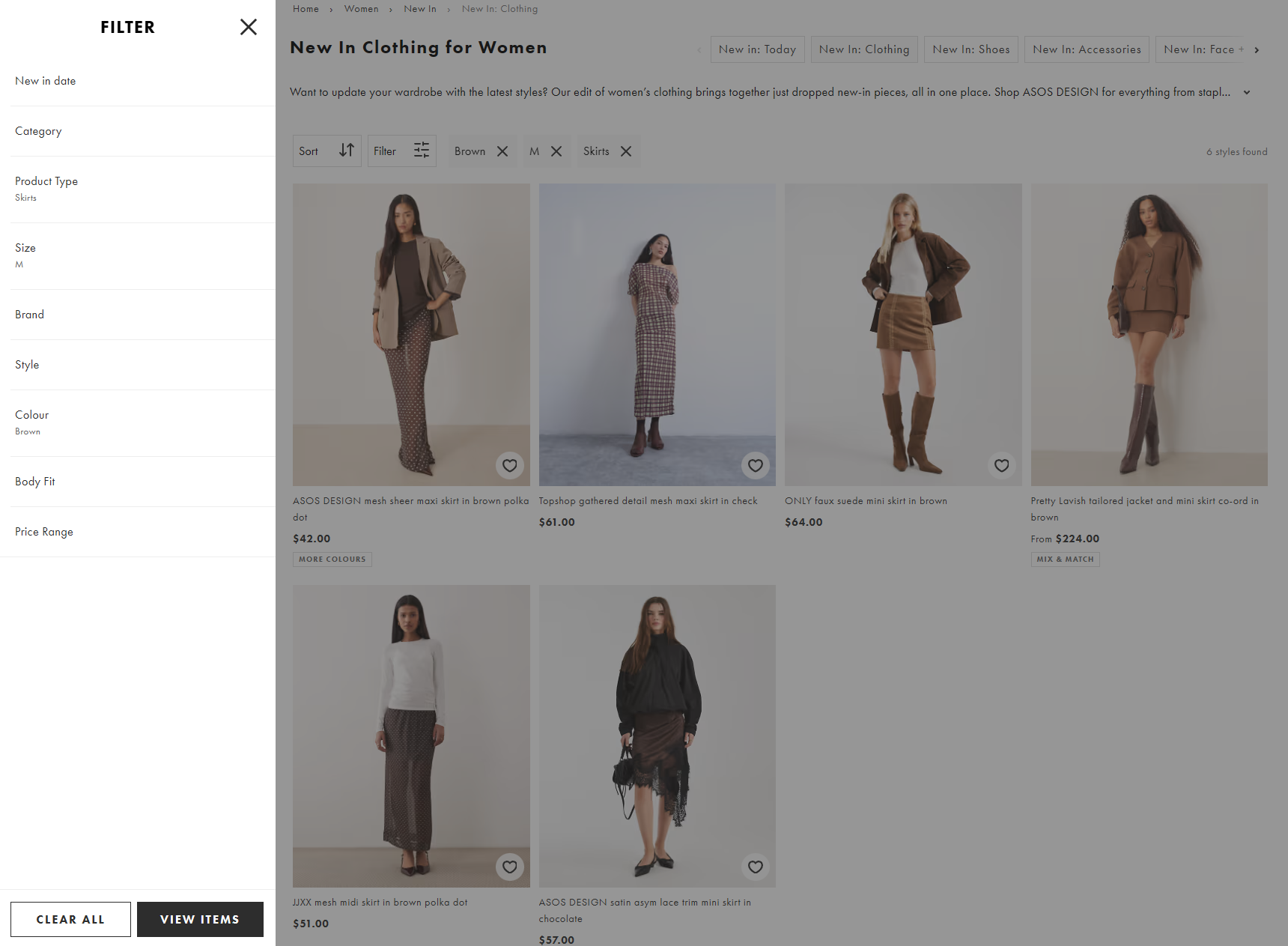
This kind of relevance-driven filtering helps users narrow choices quickly, reducing frustration and guiding them toward purchase-ready products.
Use analytics, search queries, and customer feedback to identify high‑intent filters, ensuring your options solve real shopper needs instead of just displaying every attribute your catalog happens to have.
Use Progressive Disclosure
Progressive disclosure helps keep your filter interface clean and user-friendly by showing only the most essential options upfront, while hiding advanced or less frequently used filters behind a “More” button.
This prevents shoppers from feeling overwhelmed and keeps the focus on the attributes that matter most.
For example, Nike’s online store displays key filters like size, color, and category first, while options like material, style, or collection are tucked under expandable menus.
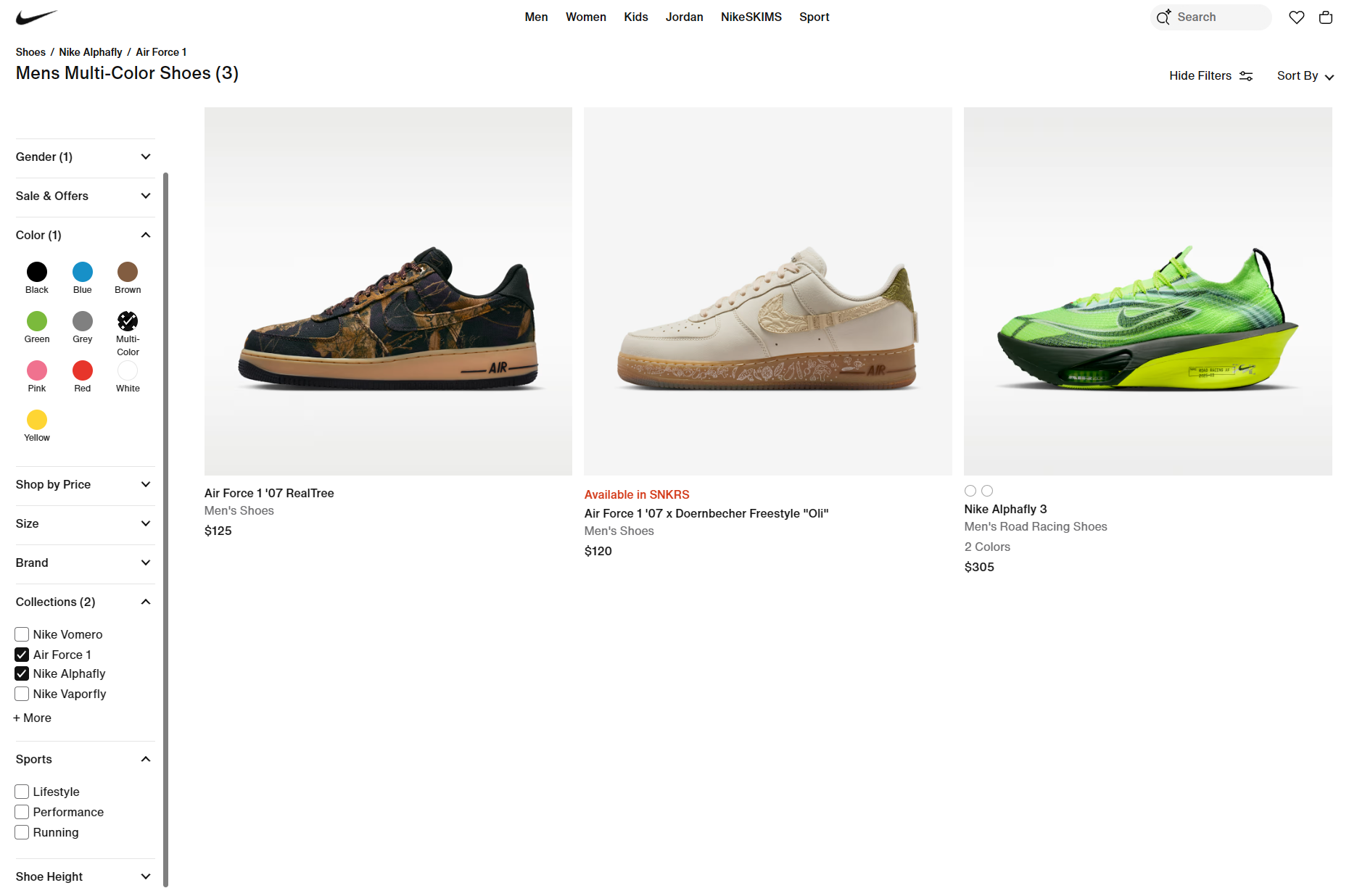
This approach balances simplicity with functionality, letting users refine their search efficiently without cluttering the interface. Progressive disclosure ensures that filters guide rather than distract, improving both usability and conversion.
Make Filters Context-Aware
Filters work best when they reflect the specific needs of each product category. A one-size-fits-all approach can frustrate shoppers with irrelevant options.
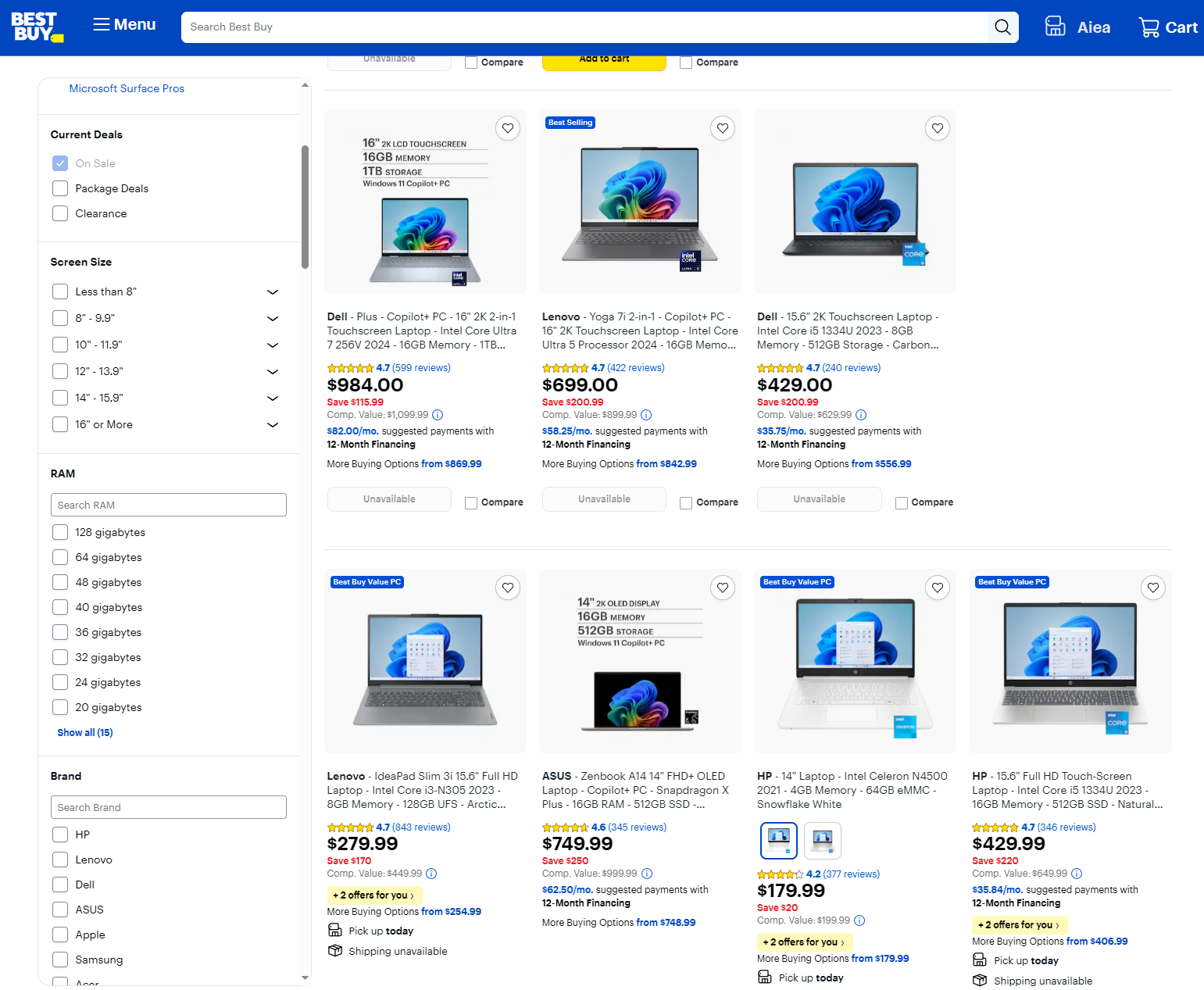
For instance, Best Buy tailors filters to the category. For example, in laptops, users can filter by processor, RAM, storage, and brand, while in TVs, filters focus on screen size, resolution, smart features, and brand.
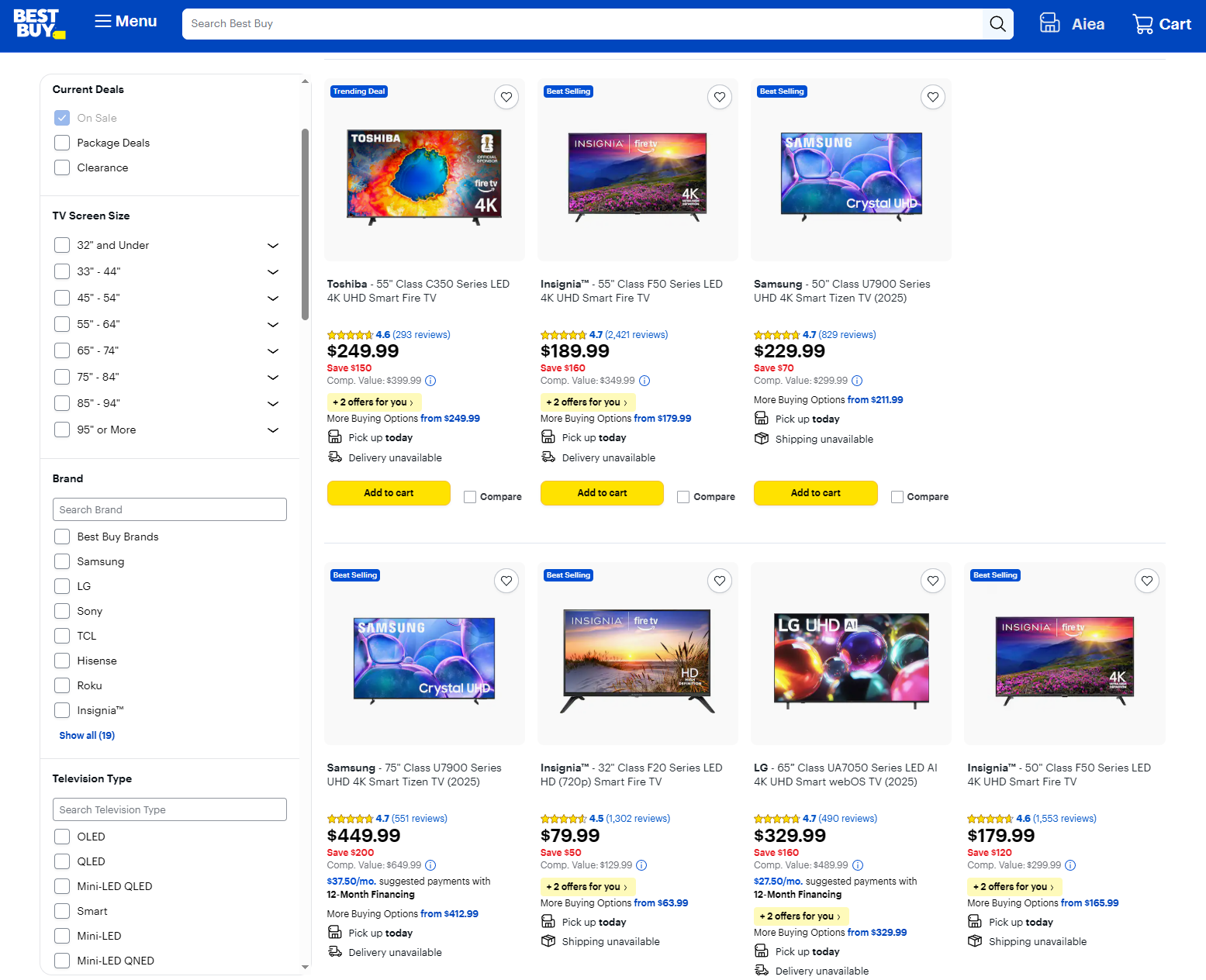
This context-aware approach ensures that shoppers see only relevant options, speeding up product discovery and reducing decision fatigue.
By aligning filters with category-specific buying behavior, you create a smoother, more intuitive experience that guides customers toward the products they’re most likely to purchase.
Display Active Filters Clearly
Showing active filters prominently helps shoppers understand how their selections are shaping results and prevents confusion. Users should be able to see which filters are applied at a glance and remove any with a single click.
For example, Zappos displays selected filters in a clear bar at the top of product listings, making it easy to adjust or reset without starting over.
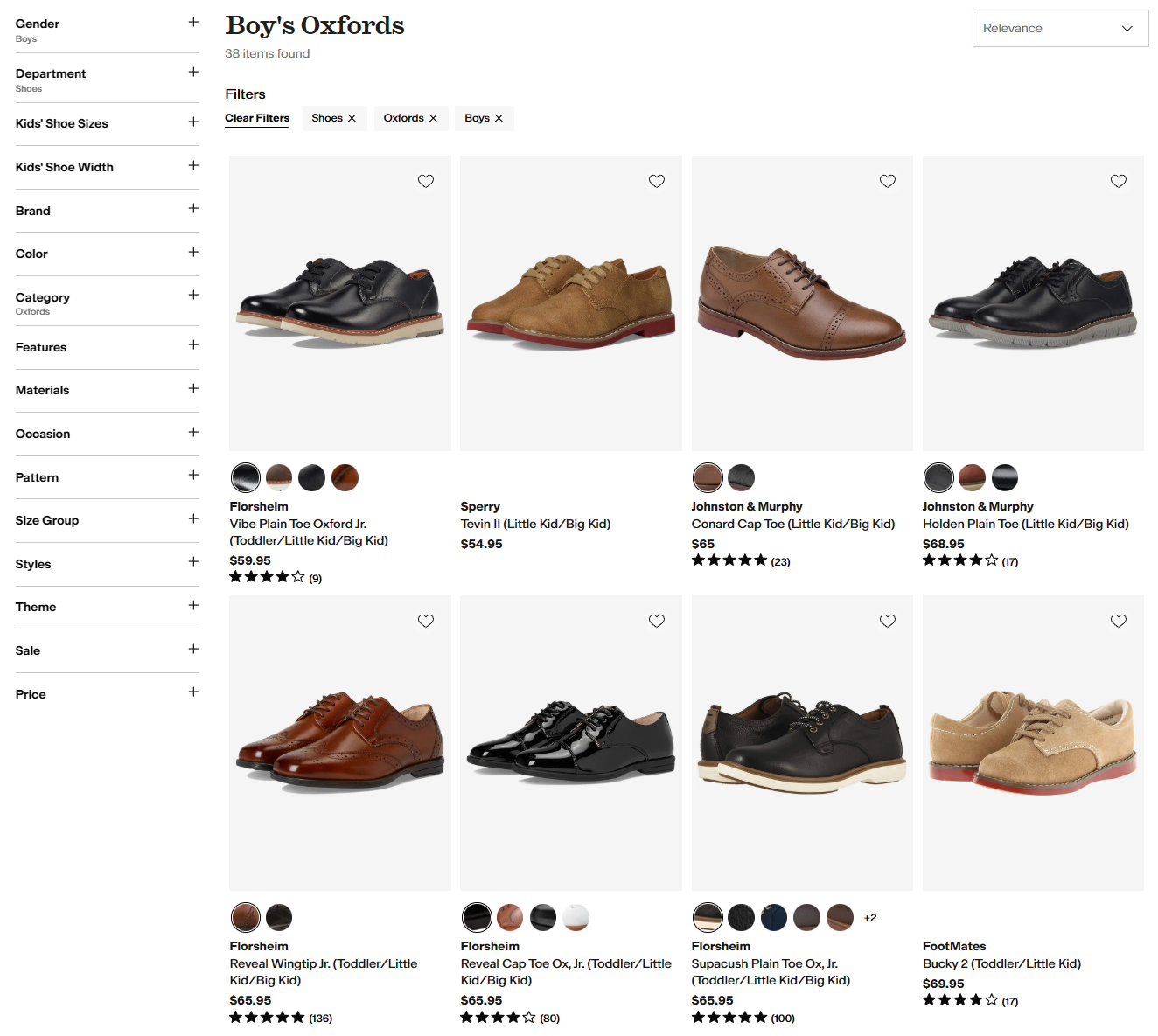
This transparency reduces frustration, prevents dead ends, and encourages continued exploration. Clear active filters also reinforce a sense of control, helping shoppers refine searches confidently and move closer to completing a purchase without unnecessary backtracking.
Always Show Result Counts
Displaying result counts alongside each filter option gives shoppers immediate feedback on how their choices affect product availability. This prevents frustration from selecting filters that yield no results and helps users make informed decisions quickly.
For example, Ashley Furniture shows the number of products available for each filter, such as “Wood (13)” or “Glass (7),” giving shoppers a clear sense of what’s in stock before they click.
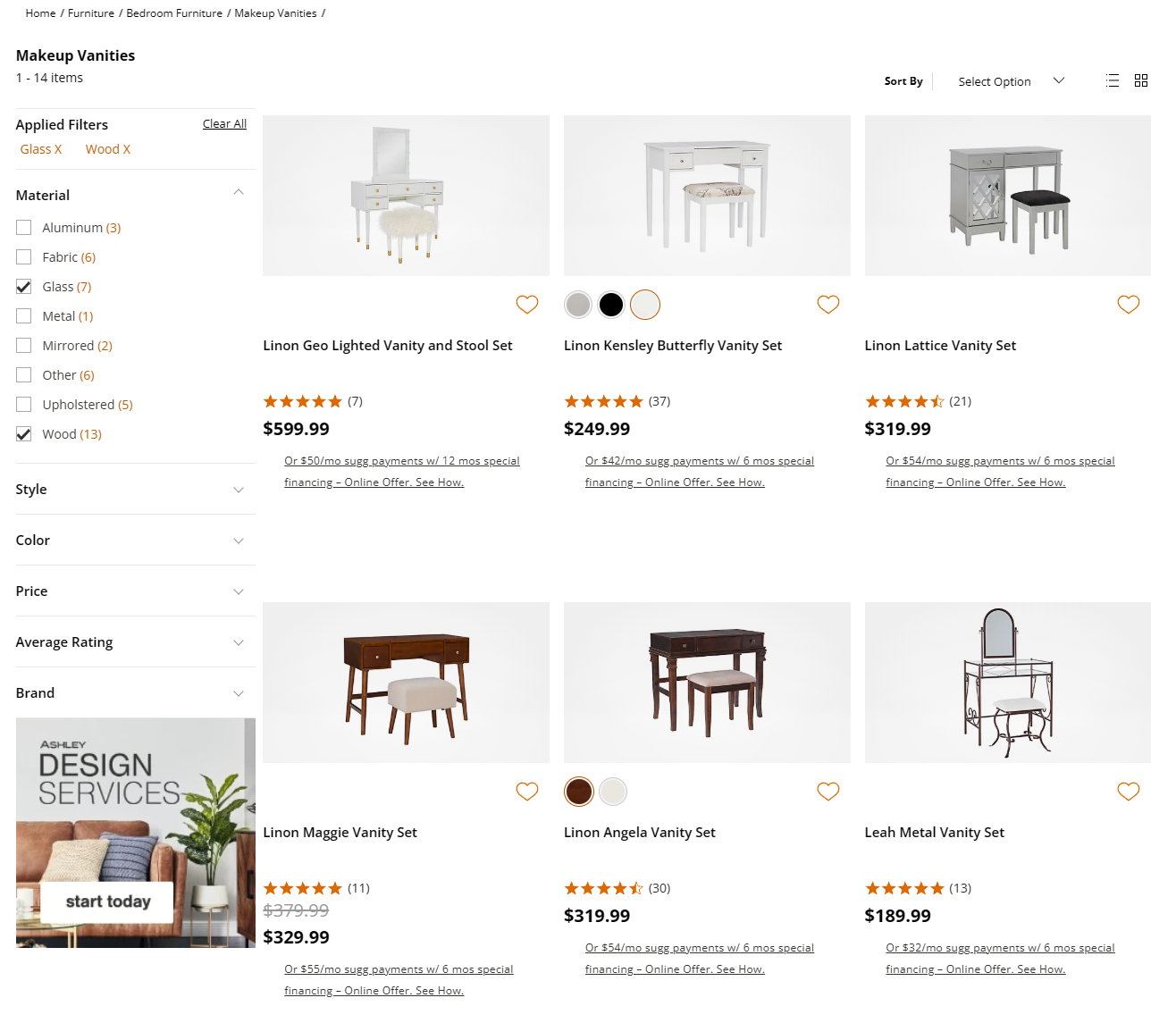
Result counts also encourage exploration, as users can prioritize filters that return more options. By making the impact of each selection visible, stores improve usability, reduce dead ends, and keep shoppers engaged throughout their journey.
Conclusion
eCommerce filters are essential for creating smooth, intuitive shopping experiences.
By reducing decision fatigue, highlighting relevant products, and guiding users toward purchase-ready options, filters improve engagement, boost conversions, and increase average order value.
Auditing and optimizing your filters ensures visitors stay engaged, find what they want faster, and complete purchases, making your store more profitable and your customers happier.
Blocksy makes it easy to implement eCommerce filters, helping your store deliver a better, more efficient shopping experience.