

Most WooCommerce stores focus on getting more traffic – more visitors, more clicks, more campaigns.
But traffic alone doesn’t guarantee growth. If customers are only buying one product at a time, revenue quickly plateaus.
So what’s the solution?
Instead of chasing more visitors, you increase how much each customer spends. This is where product bundles come in.
Product bundles group related items into a single offer. Instead of buying one product, customers are encouraged to buy more in a single purchase.
They also make decision-making easier by presenting ready-made combinations. Customers don’t have to figure out what to buy next.
They just pick the bundle.
In this guide, we’ll look at how WooCommerce product bundles work, how they help increase average order value, and the strategies you can use to implement them effectively.
What Are Product Bundles in WooCommerce?
Product bundles are a way to sell multiple products together as a single offer. Instead of buying items individually, customers can purchase them as a combined package.
Bundles are typically made up of related or complementary products that are often used together.
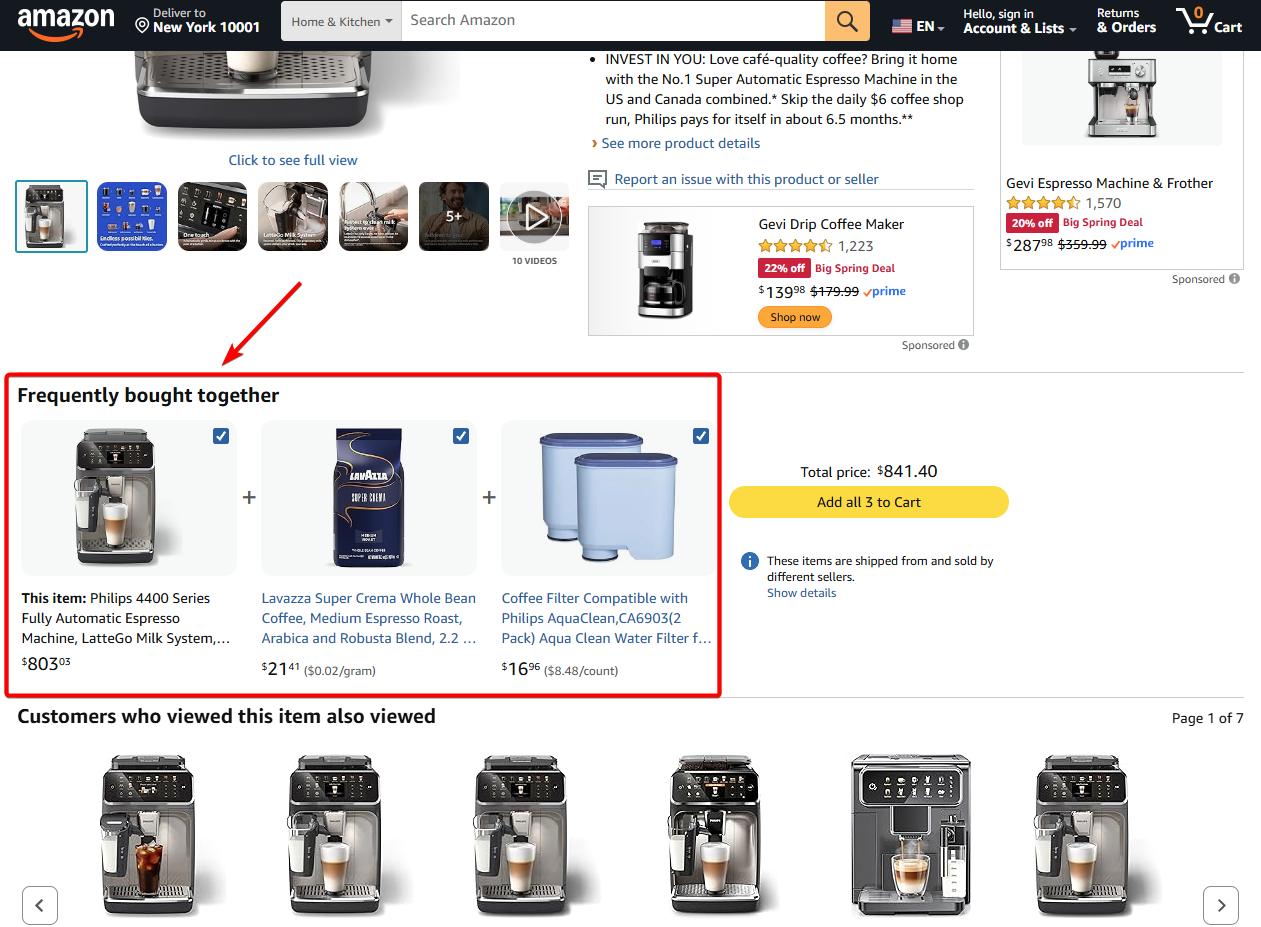
There are a few common types of bundles in WooCommerce:
- Fixed bundles include a predefined set of products sold together as one package.
- Mix-and-match bundles allow customers to choose items and create their own combination.
- Discount bundles offer multiple products at a reduced total price, making the deal more attractive.
- Frequently bought together bundles group items based on real purchase behavior.
- Starter bundles combine essential products for beginners or first-time users.
It’s also important to distinguish bundles from similar concepts – Grouped products simply list related items together but are still purchased separately. Upsells suggest additional products, but they don’t combine them into a single offer.
How Product Bundles Increase Average Order Value
Product bundles increase average order value by encouraging customers to buy more in a single purchase.
Instead of adding just one product to the cart, customers are presented with a combination of items that make more sense together.
This naturally increases the total value of each order.
Bundles also reduce decision-making. Customers don’t have to figure out what else they might need or go searching for related products. The bundle does that work for them.
Pricing plays an important role, too. When bundles highlight savings or added value, customers are more willing to spend more to get a better deal.
They also help surface complementary products that customers might not have considered buying individually.
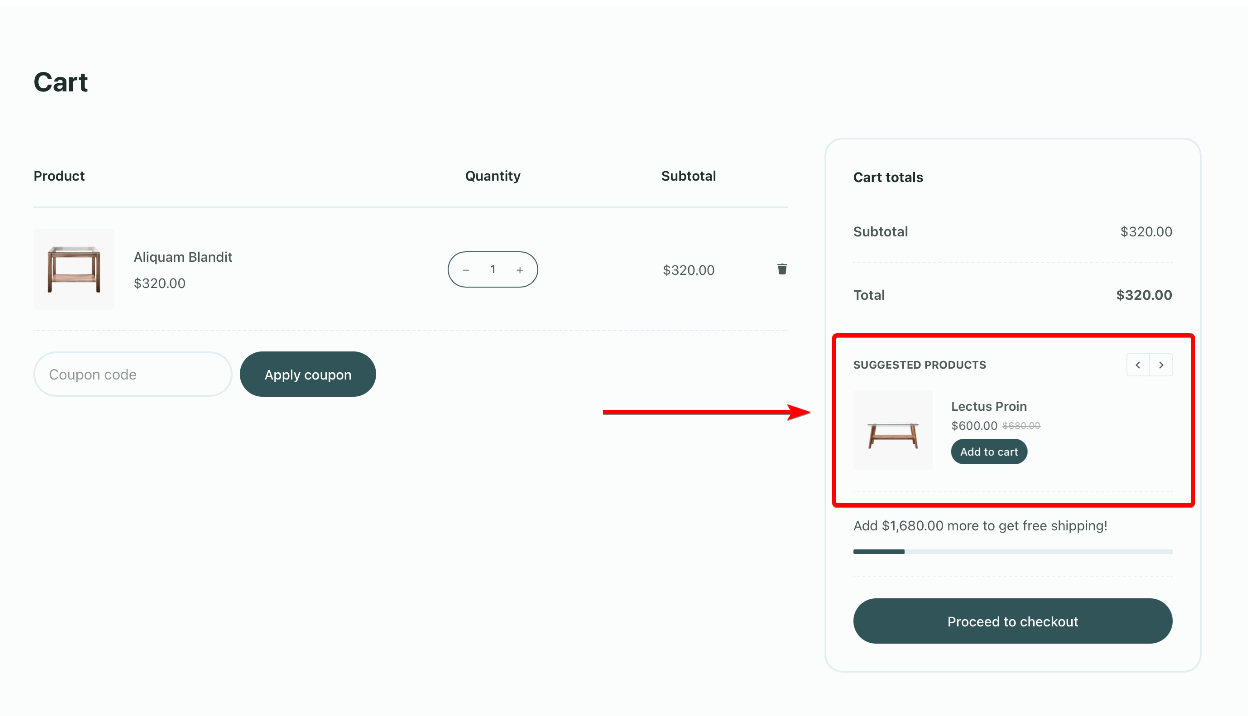
During the buying process, combined with well-timed product suggestions, the bundles can increase cart value.
Proven WooCommerce Bundle Strategies (With Examples)
Not all bundles perform the same. The goal is to combine products in a way that feels natural, valuable, and easy to buy.
Here are some of the most effective bundle strategies you can use:
TL;DR – WooCommerce Product Bundle Strategies at a Glance
| Bundle Type | How It Works | Example | Impact on Average Order Value |
| Complementary Bundles | Combine products that are used together | Camera + lens + bag | Increases cart value by encouraging complete purchases |
| Starter Kits | Predefined bundles for beginners or first-time users | Skincare starter kit | Reduces decision-making and increases conversions |
| Discount Bundles | Offer multiple products at a reduced total price | Buy 3, save 15% | Encourages higher spend to unlock savings |
| Seasonal Bundles | Bundles created for specific events or occasions | Holiday gift sets | Drives urgency and boosts short-term sales |
| Frequently Bought Together | Based on real customer purchase behavior | Commonly paired products | Feels natural and increases order size organically |
1. Complementary Product Bundles
Think of products that are usually used together.
For example, a camera with a lens and a carrying bag.
Instead of making customers figure out what else they need, you’re doing that work for them. They can just buy everything in one go.
It also reduces the chances of them missing something important and coming back later to buy it separately.
2. Starter Kits / Beginner Bundles
This works really well for first-time buyers.
Think of a skincare starter kit with a cleanser, toner, and moisturizer.
If someone is new, they usually don’t know what to pick. Instead of overwhelming them with options, you give them a simple starting point.
They don’t have to think too much. They just pick the kit and get started.
3. Discount-Based Bundles
This one is pretty straightforward.
You bundle multiple products and offer them at a slightly lower price. For example, “Buy 3, save 15%.”
It works because people feel like they’re getting a better deal by spending more. The savings make the higher price easier to justify.
4. Seasonal or Limited-Time Bundles
These bundles are tied to specific occasions or events. Think holiday gift sets or festive bundles.
They feel more relevant because they match what customers are already looking for at that time.
There’s also a sense of urgency, especially when you position them as limited-time offers. That makes people more likely to buy now instead of postponing the purchase.
5. Frequently Bought Together Bundles
This is based on actual customer behavior. You bundle products that people often buy together. For example, items that frequently appear in the same orders.
It feels natural because the combination already makes sense. Customers are more likely to trust it and go with the recommendation.
The right bundle strategy depends on your products and your customers. Focus on relevance and value, and your bundles will naturally increase order size.
How to Create Product Bundles in WooCommerce
For demonstration purposes, we are using the WPC Product Bundles to create product bundles on a WooCommerce store. This is a freemium plugin. You can use any other plugin on your store.
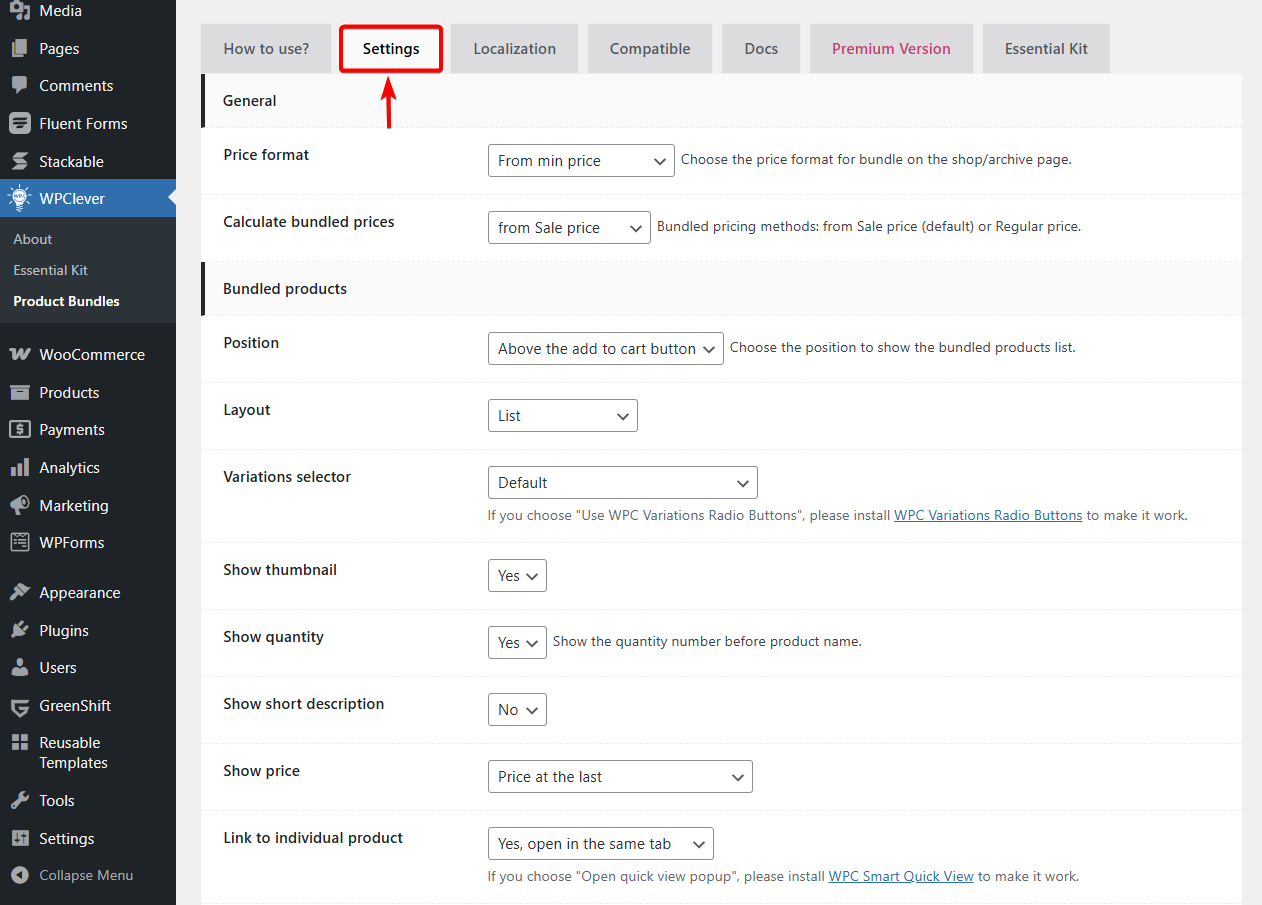
Install and activate the plugin on your website. Head to WPClever → Product Bundles → Settings. Fine-tune how your bundles appear and behave from the settings panel.
For example, you can control how bundle prices are displayed, choose whether pricing is calculated from sale or regular prices, and decide where bundled products appear on the product page.
You can also customize the layout, show or hide elements like thumbnails, quantities, and descriptions, and control how bundles behave in the cart and checkout.
These are global settings. When you set up the bundles on individual product pages, the settings there will override these global settings.
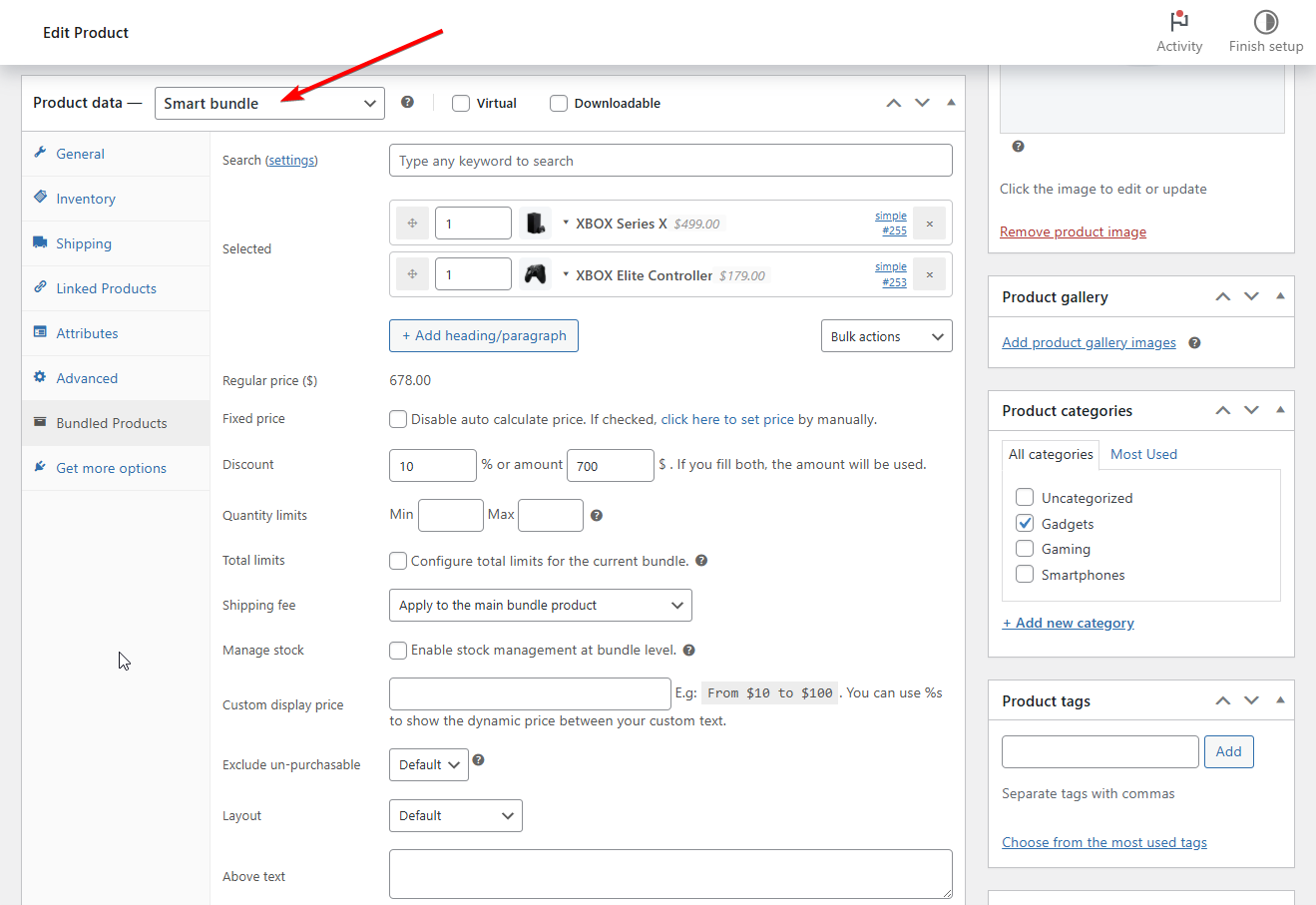
Next, open a product page, go to Product Data → Smart Bundles to create your bundle.
This is where you build your bundle.
Start by searching for the products you want to include and adding them to the bundle.
Next, decide how the bundle is to be priced – apply a discount or set a fixed price for full control.
You can also limit how many items can be selected, manage stock at the bundle level, and adjust how the bundle appears on the page.
It’s a simple setup, but these options give you enough flexibility to structure a bundle the way you’d want it.
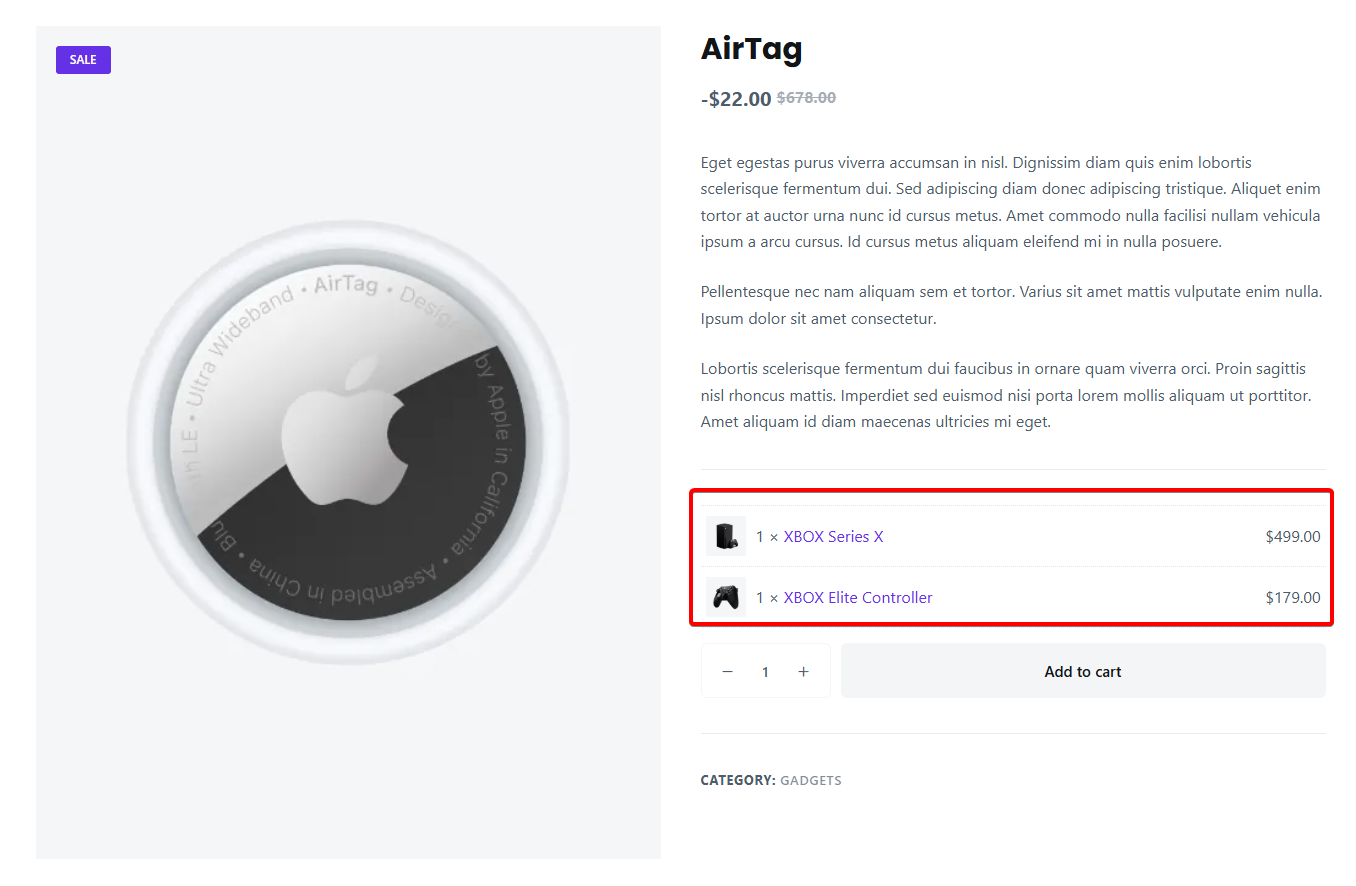
Here’s how the bundle looks on the frontend.
FAQs
1. What’s the difference between bundles, grouped products, and upsells?
It can get confusing because they sound similar. Product bundles combine multiple items into a single offer that customers buy together, often with some added value. Grouped products simply list related items on one page, but each item is still purchased separately. Upsells are just recommendations for additional or higher-value products. They don’t combine anything into one offer.
2. Should you offer bundles with or without discounts?
Both can work, it really depends on what you’re trying to achieve. Discounted bundles are great for quick conversions and getting customers to spend more. But you don’t always need a discount. Sometimes, just offering convenience or a complete set is enough to justify the higher price while keeping your margins intact.
3. How do you price a product bundle effectively?
Pricing is where things really matter. You want the bundle to feel like a better deal without hurting your margins. A simple way to do this is by showing the original price of individual items and then the bundle price. That makes the savings clear. From there, it’s mostly about testing and seeing what works best for your customers.
Conclusion
Product bundles are one of the simplest ways to increase average order value without relying on more traffic.
They encourage customers to buy more in a single purchase while making the buying process easier.
The key is to focus on relevant combinations, clear value, and simple presentation.
With the right strategy and thoughtful optimization, product bundles can consistently drive higher revenue for your WooCommerce store.
If you have questions about WooCommerce product bundles, let us know in the comments section below.