

Online stores tend to grow fast. What starts as a small catalog of a few products can quickly expand into hundreds (or even thousands) of items as a business scales. While this growth is great for revenue, it creates a new challenge: helping customers find the right products without frustration.
When shoppers are faced with large inventories and limited navigation tools, they often feel overwhelmed. And that can lead to abandoned sessions and lost sales.
This is where eCommerce product filtering becomes essential. Well-designed filters allow users to narrow down product listings based on their preferences, making navigation smoother and more intuitive. They speed up product discovery, reduce decision fatigue, and ultimately increase conversions.
For stores built with WooCommerce and WordPress, optimizing product filtering can significantly enhance the shopping experience. In this article, we’ll explore how WooCommerce product filters work, the most effective filter types, and best practices to improve usability and sales.
What Is eCommerce Product Filtering?
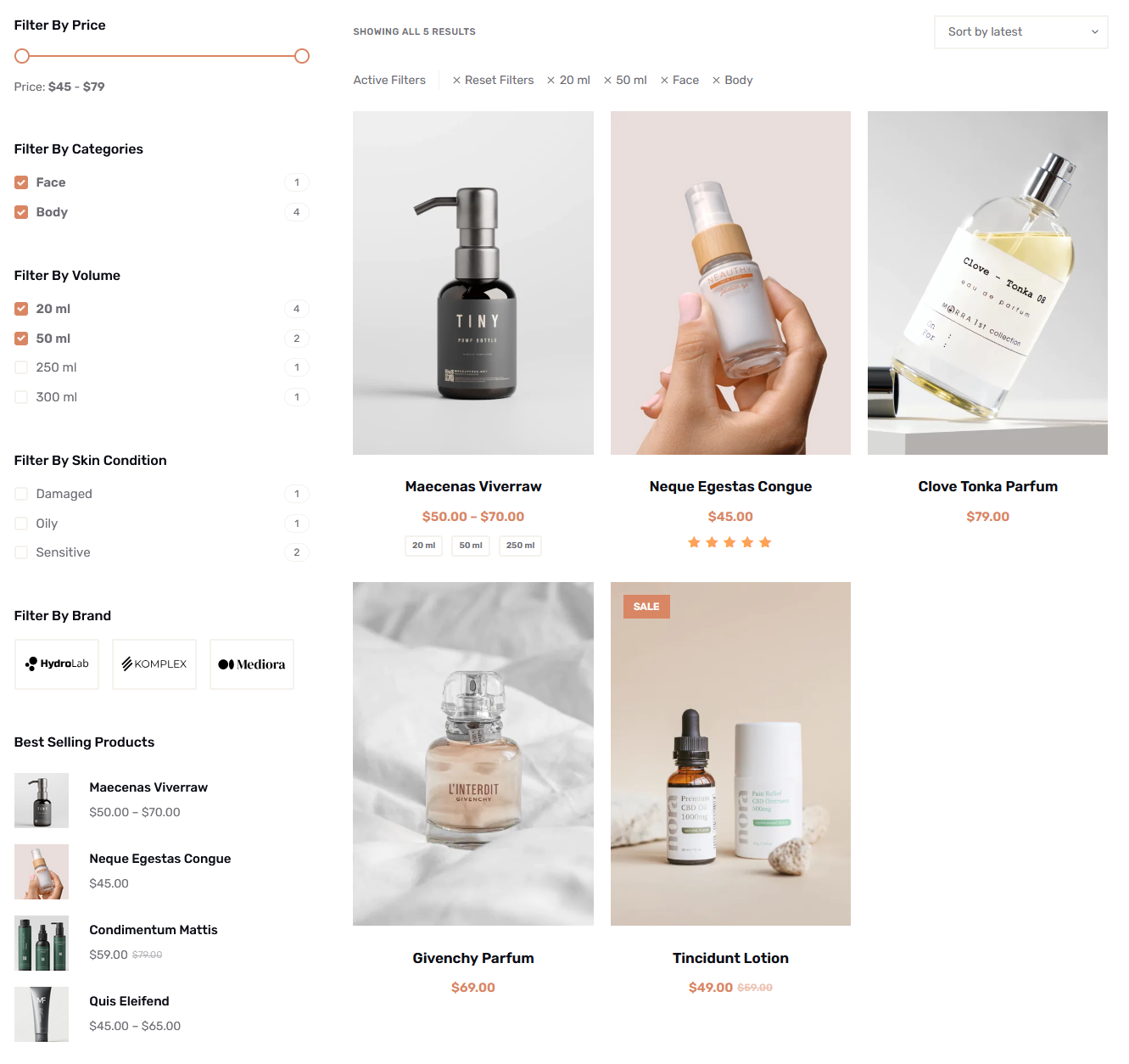
eCommerce product filtering is a feature that allows shoppers to narrow down product listings based on specific criteria such as price, category, size, color, or ratings. So, instead of scrolling through long lists of items, users can quickly refine results to match their preferences. This makes the shopping experience faster and more efficient.
It’s important to distinguish between product filtering and product search.
- Search is typically used when customers already know what they’re looking for. They can simply enter keywords to find a specific item.
- Filtering, on the other hand, supports exploration. It helps users browse, compare options, and progressively refine product listings until they find the right match.
Filtering becomes especially important as online stores grow. A catalog with dozens of products may still be manageable, but once you reach hundreds or thousands of items (such as in fashion, electronics, or home goods stores) navigation can quickly become overwhelming. Without proper filtering, users may struggle to find relevant products.
By reducing browsing friction, product filters guide users toward more relevant choices. This not only improves the overall user experience but also helps shoppers make quicker purchase decisions, increasing the likelihood of conversions.
How WooCommerce Product Filters Work
WooCommerce includes several built-in filtering features that help store owners organize products and improve navigation. These native options form the foundation of effective WooCommerce filtering and can be extended further with plugins or custom development.
- Category filters allow users to browse products by predefined groupings, such as clothing, electronics, or accessories.
- Attribute filters go a step further by letting users refine products based on specific characteristics. Attributes can include size, color, material, brand, or any custom feature you define.
- Price filters enable shoppers to set a minimum and maximum price range, making it easier to stay within budget.
- Tag-based navigation uses product tags to group items with shared traits such as “new arrivals” or “best sellers”. This creates another layer of filtering flexibility.
When it comes to functionality, WooCommerce filtering can be either dynamic or static.
- Dynamic (AJAX) filtering updates product results in real time without reloading the page. This creates a smoother user experience.
- Static filtering refreshes the page each time a filter is applied.
You can place filters across different areas of your store, including sidebar filters, shop page filters, and category page filters. This flexibility allows you to design intuitive WooCommerce product navigation that fits your store layout and user behavior.
Types of WooCommerce Product Filters
WooCommerce offers a variety of product filters that help users refine results, improve navigation, and quickly discover relevant products within large and complex catalogs.
Price Filters
Price filters are one of the most commonly used WooCommerce product filters. They allow users to quickly narrow down products within a specific budget.
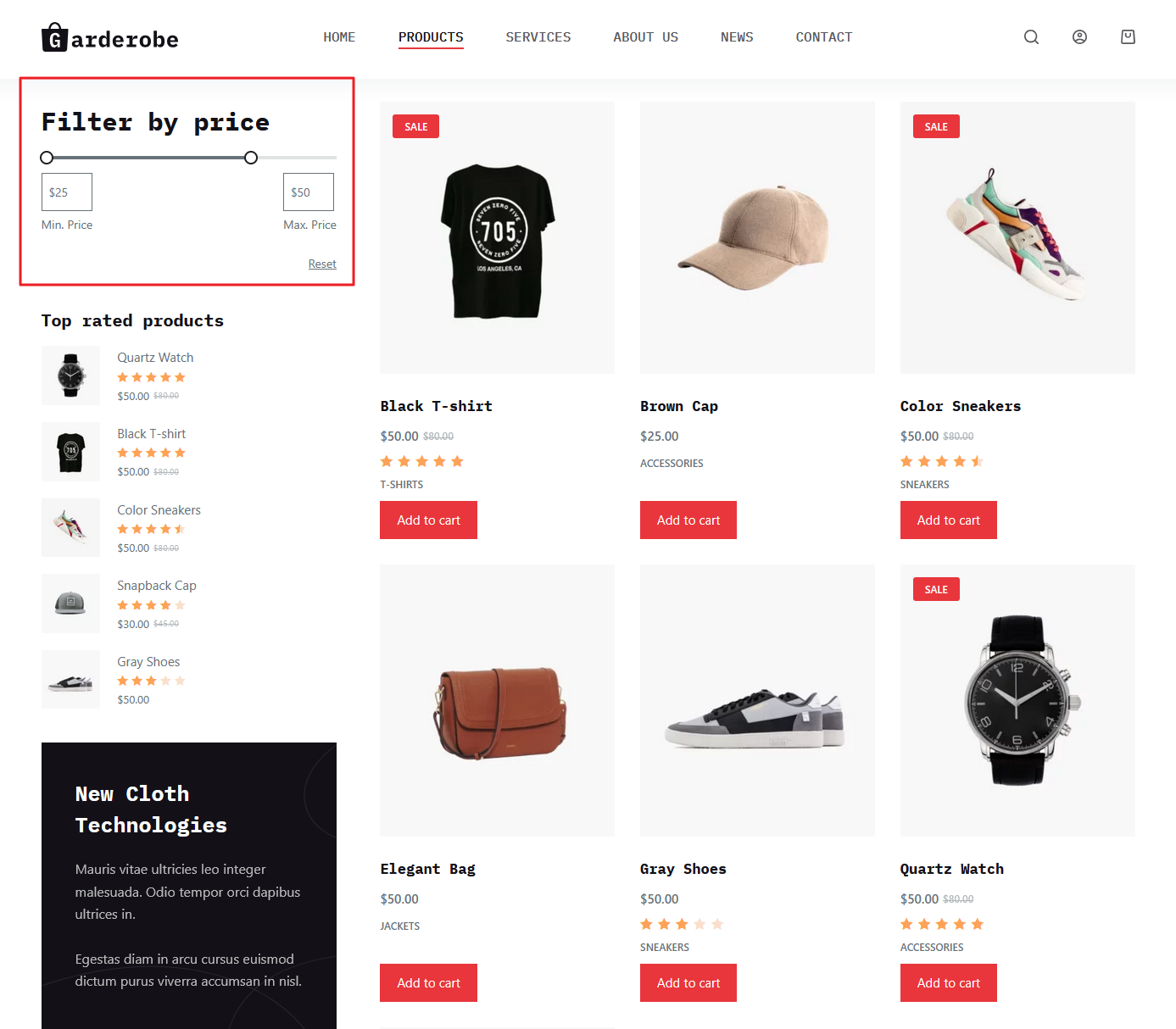
There are two main types of price filters: range sliders and predefined price ranges.
- Range sliders let users set a custom minimum and maximum price.
- Predefined ranges (e.g. $0-$50, $50-$100) simplify the process and work well for stores with clearly segmented pricing.
For example, a customer shopping for shoes can instantly filter out items that exceed their budget instead of scrolling through dozens of irrelevant products.
Category Filters
Category filters help users navigate large WooCommerce product catalogs by organizing products into logical groups, such as clothing, electronics, or home decor. They are especially effective for multi-category stores, where customers need a clear structure to explore options without feeling overwhelmed.
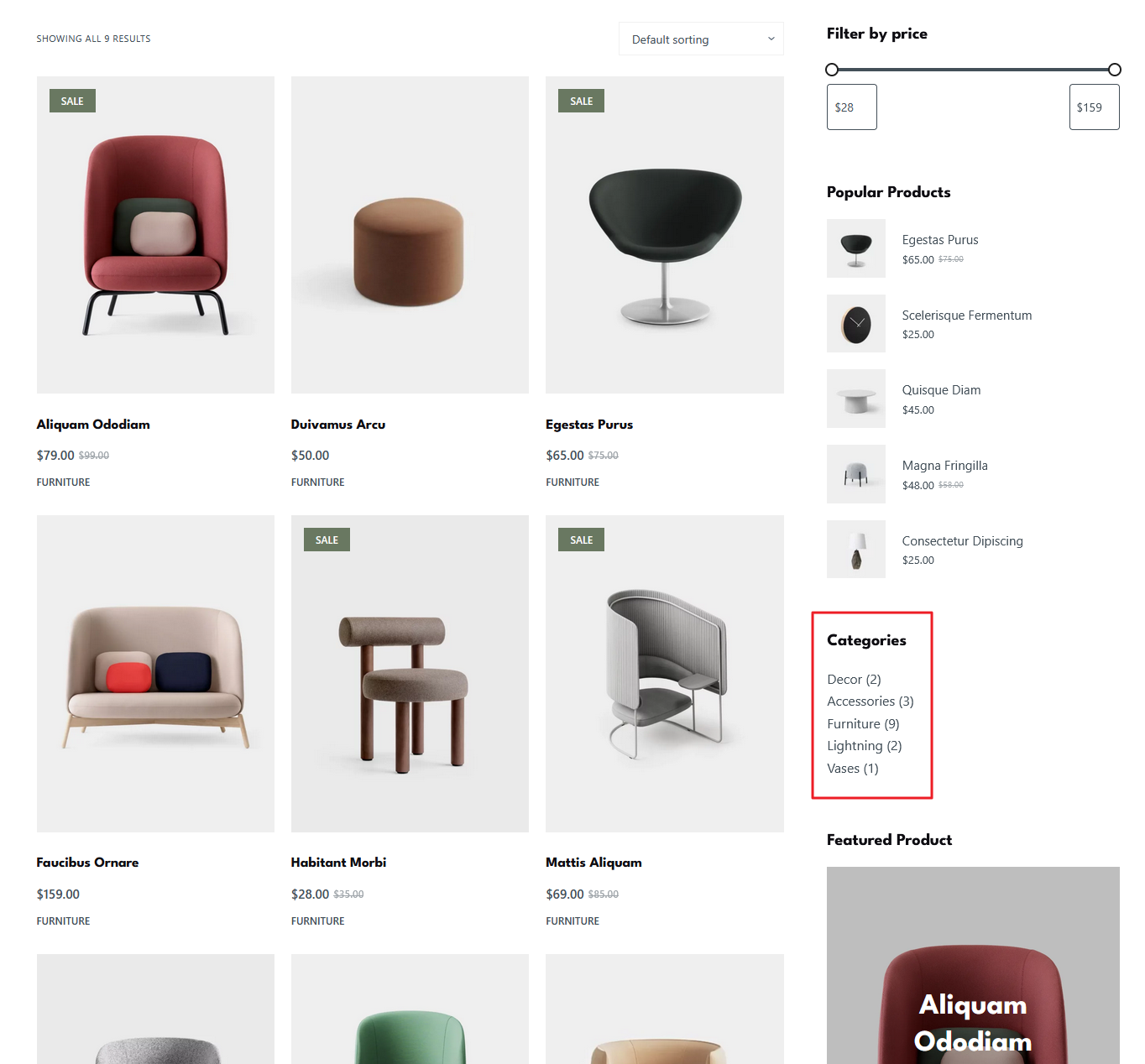
For example, a store selling both men’s and women’s apparel can use category filters to separate shirts, pants, and accessories, allowing shoppers to focus only on relevant sections.
Product Attribute Filters
Product attribute filters allow users to narrow down WooCommerce products based on specific characteristics, known as attributes. Attributes are defined product features such as size, color, material, brand, or compatibility.
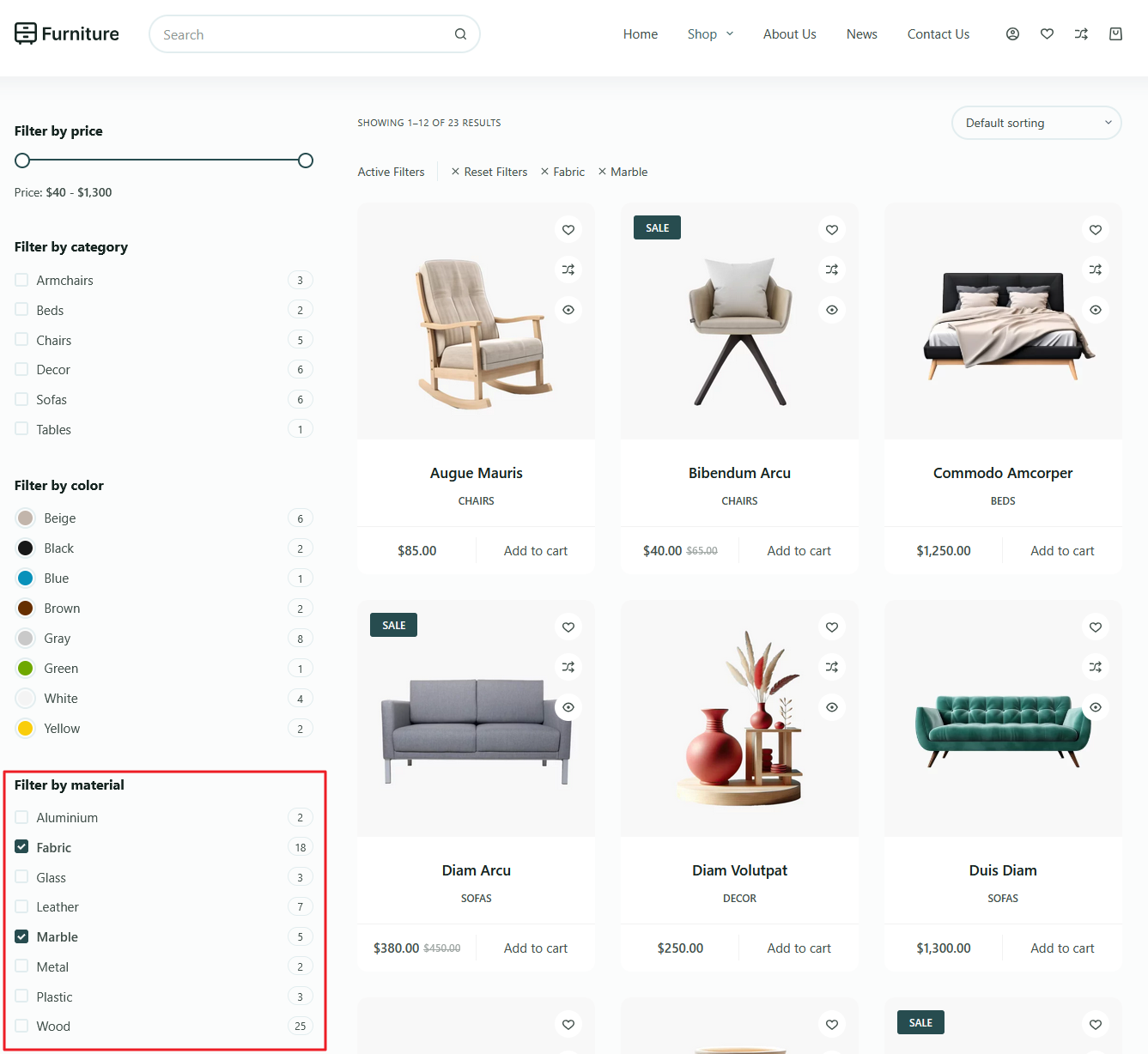
For example, a shopper looking for a jacket can filter by size to find only items that fit, choose color to match their style, or select material like leather or denim. Electronics stores can use brand or compatibility filters to ensure products work with existing devices.
Stock Availability Filters
Stock availability filters allow customers to view only products that are currently in stock, eliminating items that are unavailable or backordered. This type of filter is especially useful for high-demand stores or fast-moving inventory, where customers may become frustrated if they select items that cannot be purchased immediately.
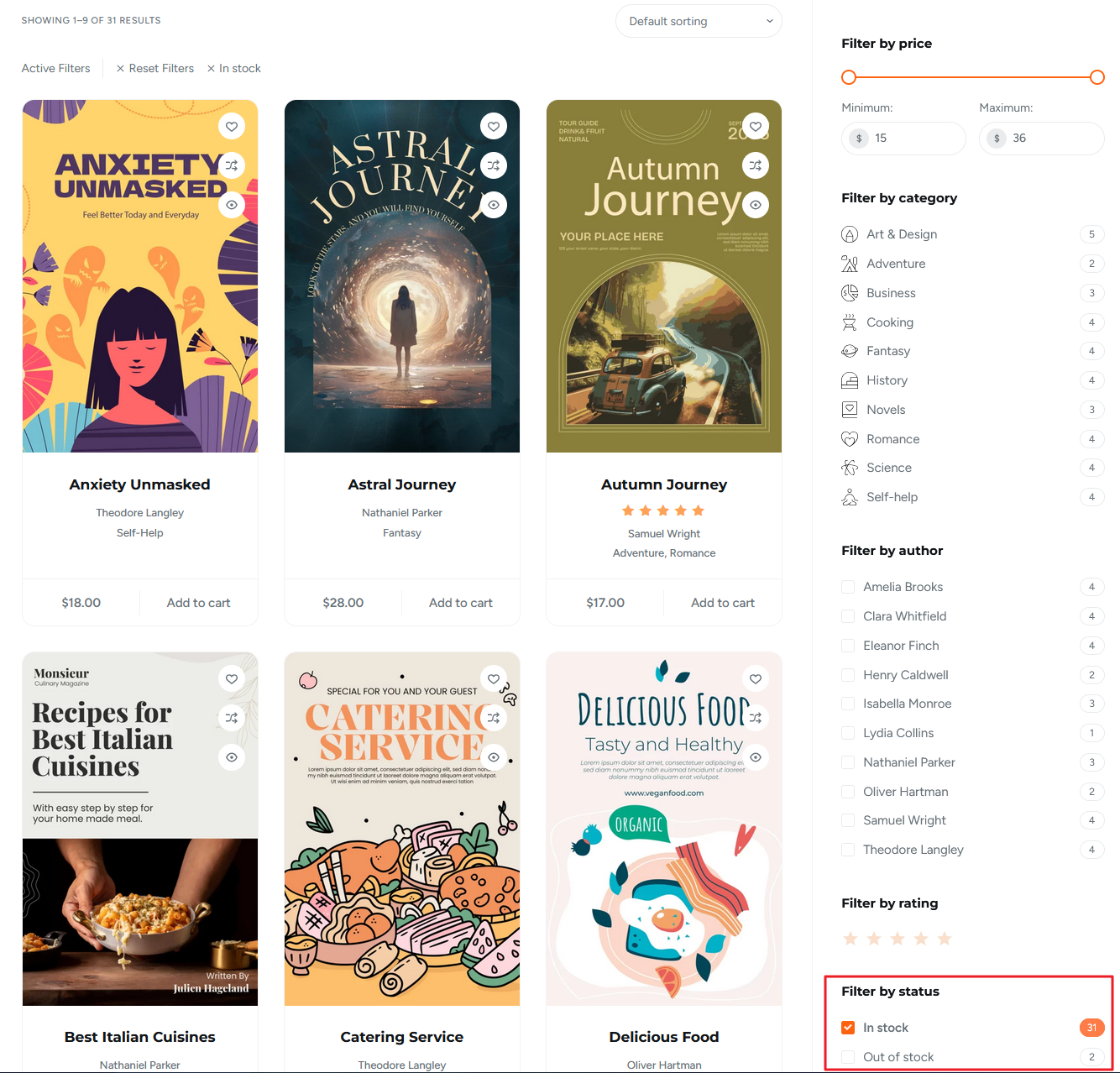
For example, a popular electronics store can let shoppers filter out out-of-stock devices, ensuring they only see products ready for immediate purchase.
Ratings Filters
Ratings filters let shoppers view products based on customer reviews and star ratings, helping them quickly identify high-quality items. By filtering for top-rated products, users can make more confident purchasing decisions and reduce the risk of dissatisfaction.
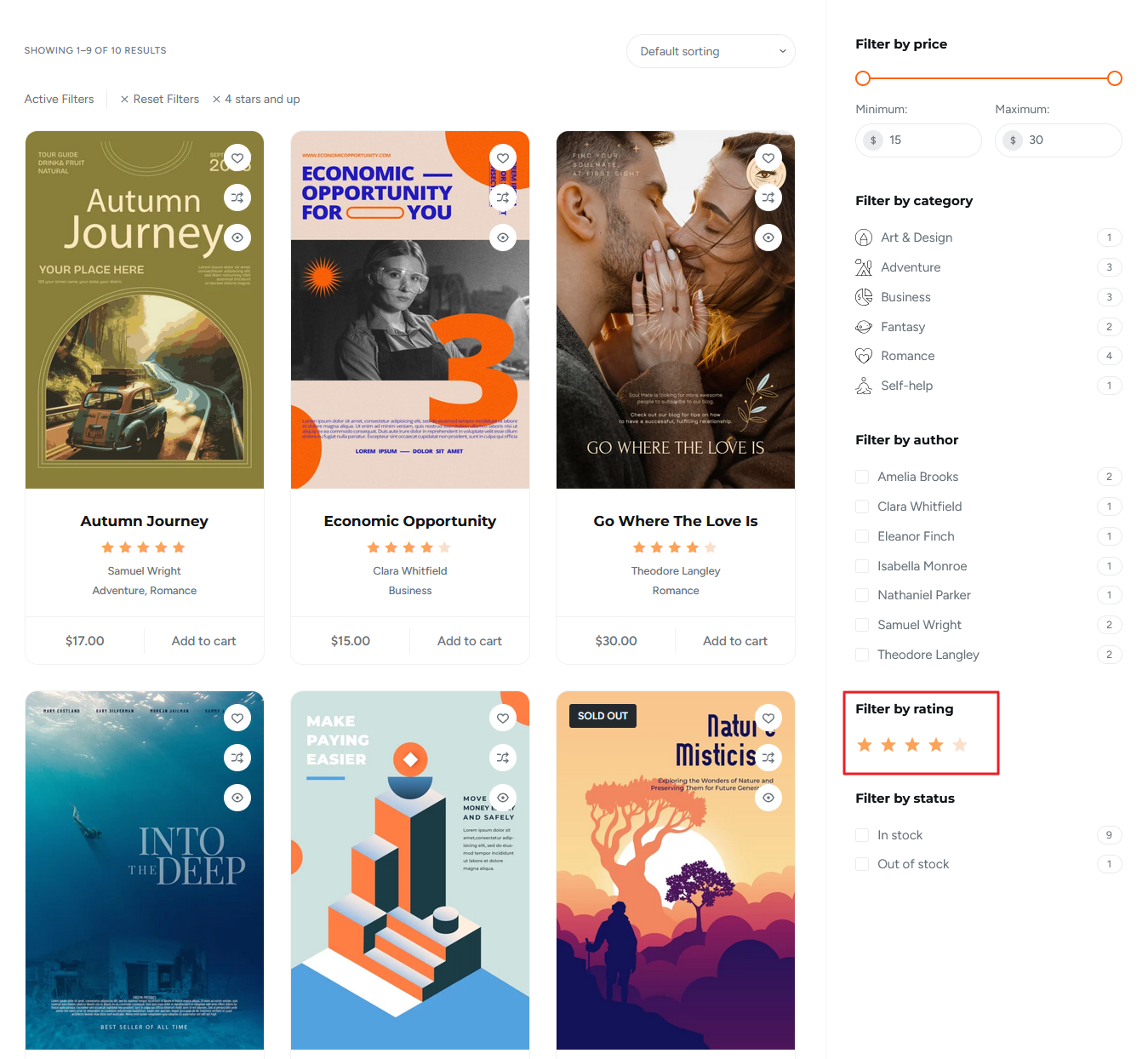
For example, a WooCommerce store selling books can allow customers to show only 4-star and above books, highlighting the best reads.
UX Best Practices for WooCommerce Filtering
Implementing user-friendly design and clear navigation in your product filters ensures shoppers can quickly find products and enjoy a seamless experience. Here are some of our best tips:
Place Filters Where Users Expect Them
One key UX best practice is placing filters where users naturally look for them. On desktop, sidebar filters are the most familiar and intuitive placement. For mobile users, sticky or collapsible filters ensure that filtering options are always accessible.
Proper placement reduces confusion and makes product discovery faster, helping customers find what they want with minimal effort.
Keep Filters Relevant
To maintain a smooth shopping experience, it’s important to keep filters relevant. Avoid overwhelming users with too many options, as this can cause decision fatigue and slow down product discovery.
Display only filters that apply to the current set of products, hiding irrelevant choices. For example, if a category has no size variations, the size filter should be removed. Relevant filters help users refine results efficiently and improve overall satisfaction.
Use Clear Labels
Filters should use clear, user-friendly labels that shoppers can easily understand. Avoid technical or internal attribute names that may confuse customers.
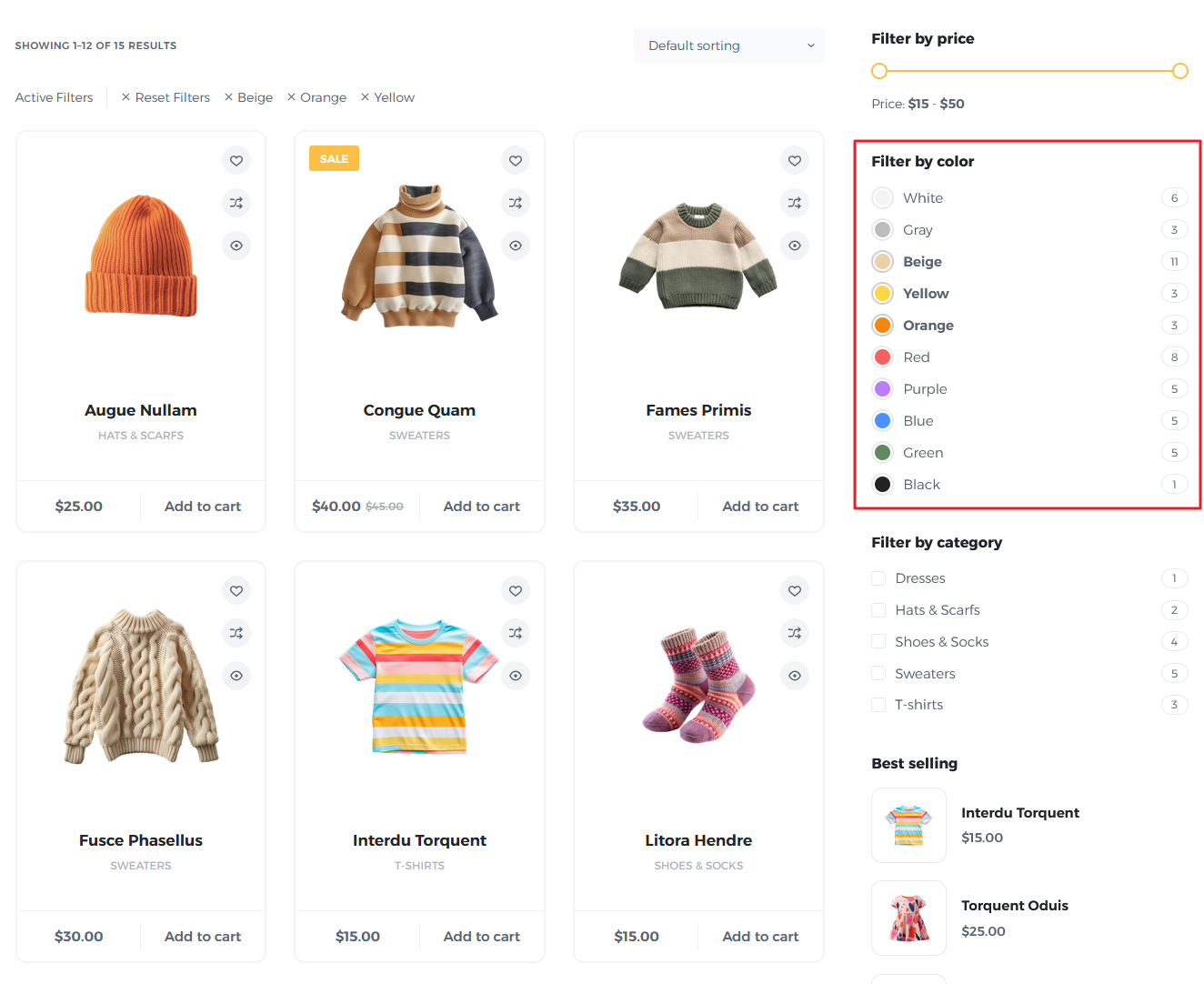
For example, use “Red” instead of “Color Code #FF0000” or “Large” instead of “Size L”. Clear labeling ensures users immediately know what each filter does, enhances the overall user experience, and helps guide shoppers toward the products they want.
Show Active Filters
Displaying active filters lets users see which criteria are currently applied, providing transparency and control over their search results. Shoppers should also be able to quickly remove or adjust filters without starting over, which speeds up browsing and prevents frustration.
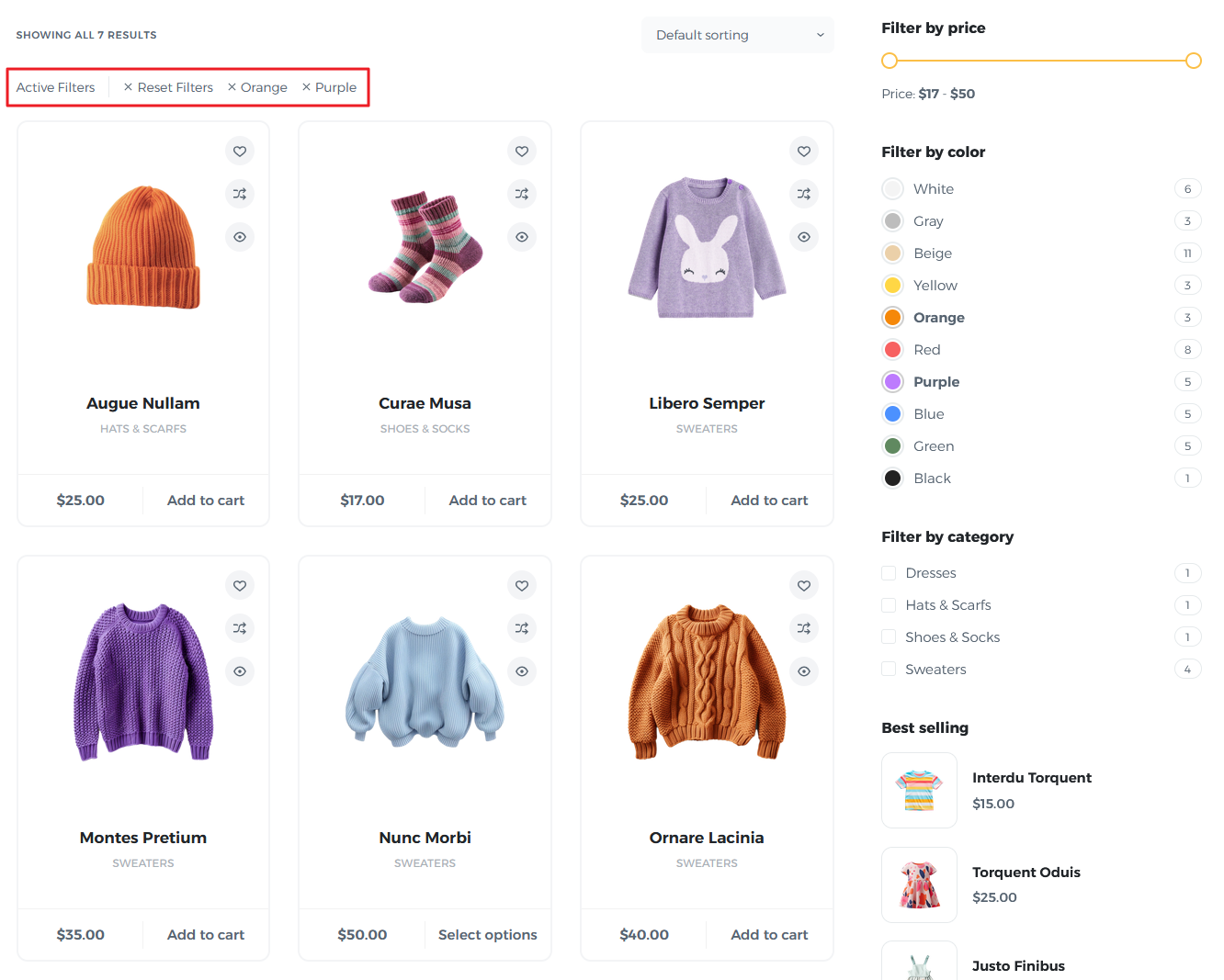
For example, showing selected filters as removable tags or buttons enhances usability. This approach makes navigation intuitive, helps users refine their choices efficiently, and improves the overall WooCommerce product browsing experience.
Enable Multiple Filter Selections
Allowing users to select multiple filters simultaneously lets them refine results more precisely. For example, shoppers can filter by both color and size at the same time, narrowing down options efficiently.
Multiple filter selections enhance control, improve product discovery, and create a smoother, more satisfying shopping experience.
Advanced WooCommerce Filtering Strategies
Advanced filtering strategies help stores go beyond basic functionality, using smart techniques to improve navigation, speed up product discovery, and enhance overall WooCommerce user experience.
Layered Navigation
Layered navigation allows shoppers to apply multiple filters at once, such as color, size, and brand, to narrow down product results efficiently.
This approach is especially useful for large catalogs, helping users quickly find exactly what they want while reducing browsing time and improving the overall WooCommerce shopping experience.
AJAX Filtering
AJAX filtering updates product listings instantly without reloading the page, creating a seamless and faster browsing experience. Shoppers can adjust filters and immediately see results, reducing wait times and frustration.
This real-time approach enhances usability, keeps users engaged, and improves conversion rates in WooCommerce stores with large or complex catalogs.
Mobile-Friendly Filters
Mobile-friendly filters, such as collapsible sections or slide-out panels, make it easy for shoppers to refine products on smaller screens.
These designs save space, keep the interface clean, and ensure filtering options remain accessible, providing a smooth and intuitive WooCommerce shopping experience for users on smartphones and tablets.
Smart Default Sorting
Combining smart default sorting with filters helps users see the most relevant products first, such as best-sellers or top-rated items.
This strategy guides shoppers efficiently through large catalogs, complements their filter selections, and enhances the overall WooCommerce user experience by reducing search time and improving the likelihood of conversions.
Conclusion
WooCommerce product filters are essential for creating a seamless and efficient shopping experience. By improving navigation and allowing users to quickly refine product listings, filters enhance product discovery and help shoppers find exactly what they need.
Effective filtering reduces decision fatigue, highlights relevant options, and increases the likelihood of purchases, ultimately boosting conversion rates. From price and category filters to advanced strategies like layered navigation and AJAX filtering, optimizing these tools is a critical part of overall UX.
Store owners who prioritize smart, user-friendly filtering can transform large catalogs into intuitive, high-converting online stores.