



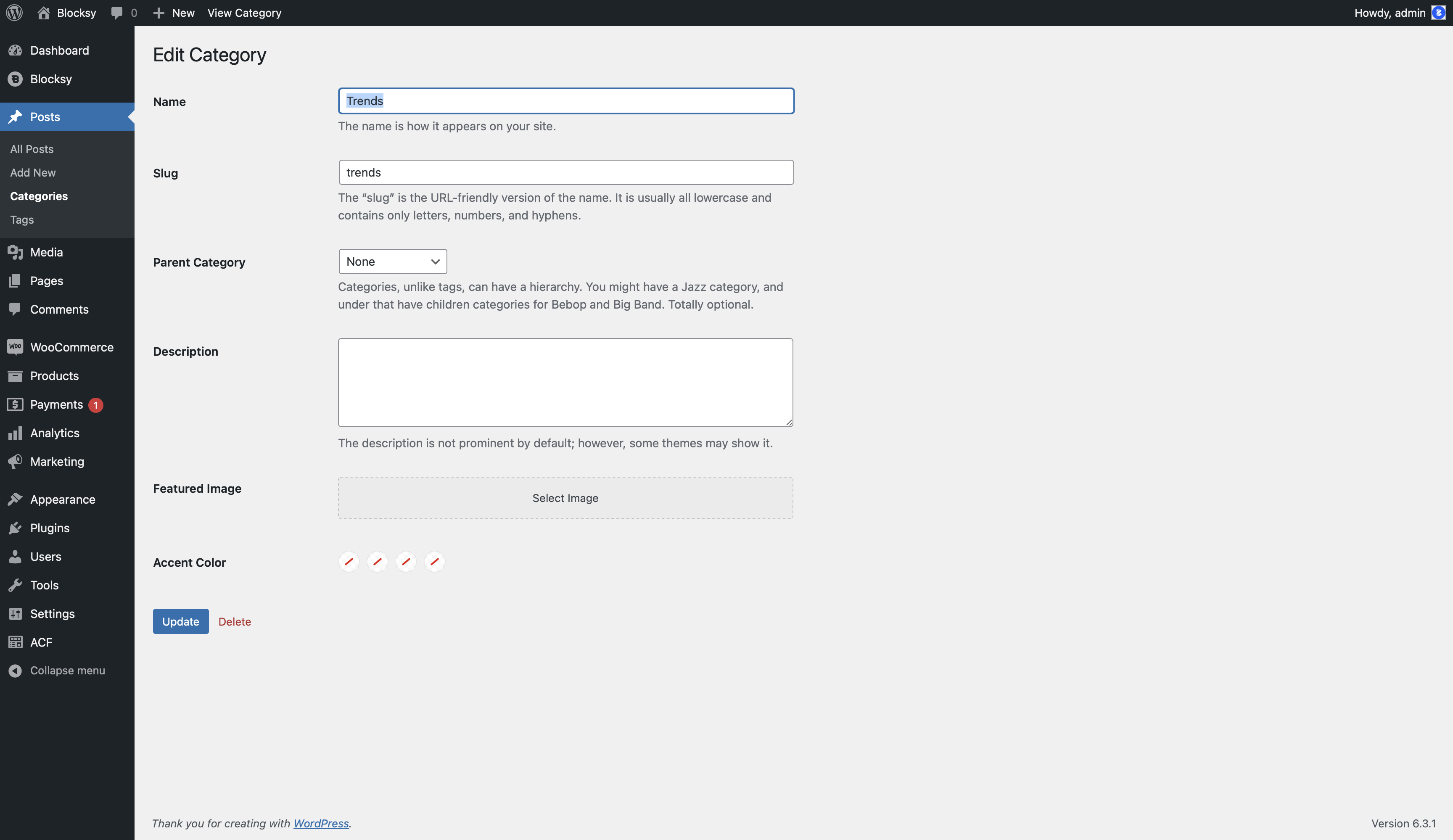
The Taxonomy Customisations feature extends WordPress taxonomy terms with additional visual information that Blocksy can use throughout supported archive and dynamic-content layouts.
Individual categories, tags and supported custom taxonomy terms can receive their own Featured Image and Accent Color, giving each term a distinct visual identity.
Post Types Extra required
Taxonomy Customisations is part of the Post Types Extra extension, available with the Business and Agency Blocksy Pro plans.
Getting Started
- Navigate to WordPress Dashboard → Blocksy → Extensions.
- Locate Post Types Extra and enable Taxonomy Customisations.
- Open the WordPress administration screen for the taxonomy you want to customise. For example, navigate to Posts → Categories for regular post categories.
- Edit an existing taxonomy term.
- Configure its Featured Image and/or Accent Color, then save the term.
The exact administration path depends on the taxonomy and post type. Custom taxonomies normally appear beneath the menu belonging to the post type with which they are registered.
Granular Controls
Featured Image
Assign an image directly to an individual taxonomy term. Blocksy can use this image in supported taxonomy contexts, including archive Page Title configurations that use the current term as their image source.
Because the image belongs to the taxonomy term itself, each category or custom term can display a different visual without requiring a separate archive layout.
Accent Color
Assign a dedicated Accent Color to a taxonomy term. Compatible Blocksy elements can use this value to visually distinguish terms from one another.
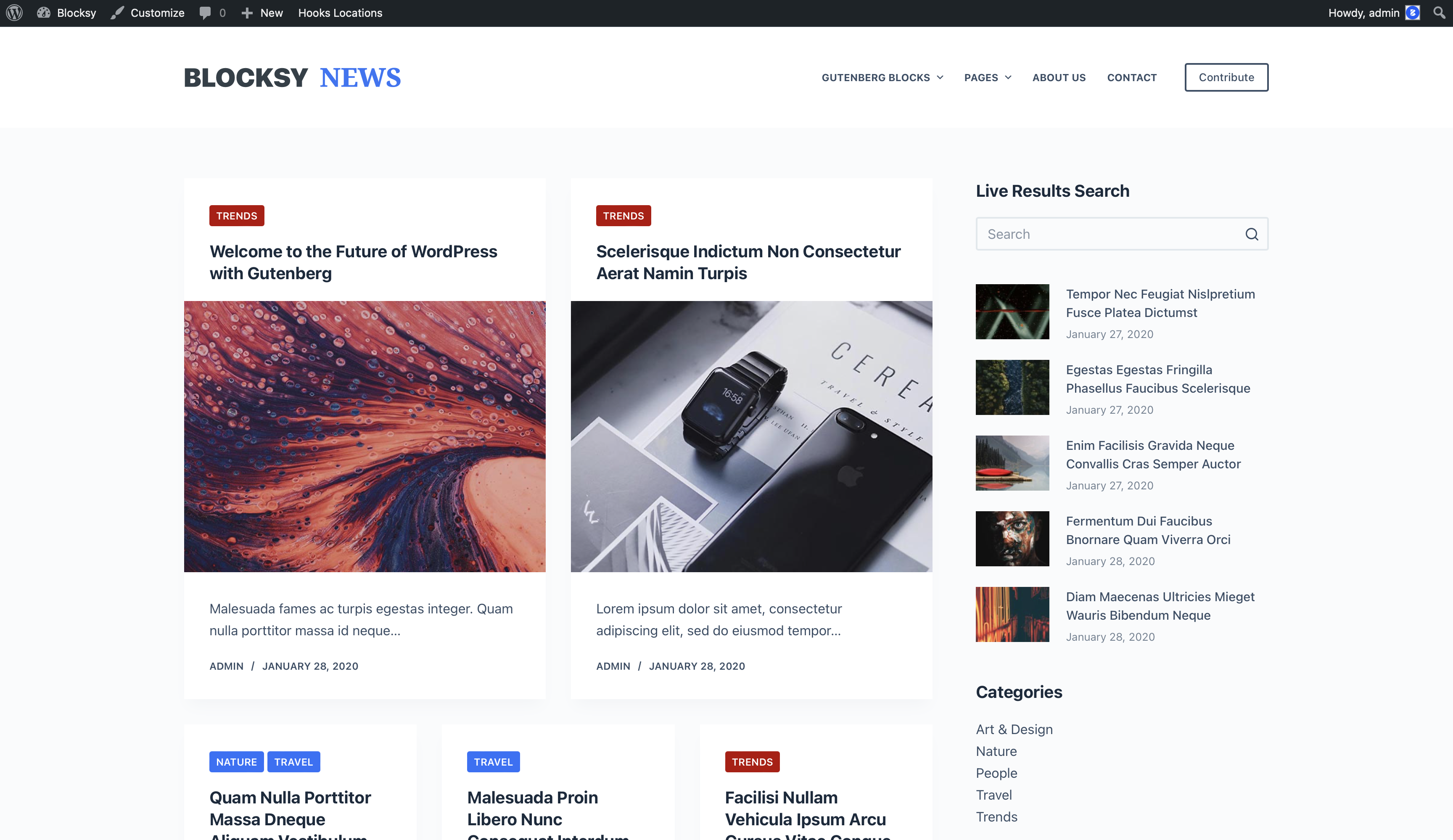
This is particularly useful when taxonomy terms are displayed as labels or other visually distinct metadata and you want each term to retain a recognisable Color throughout supported Blocksy layouts.
Custom Taxonomies
Taxonomy Customisations is not limited to the built-in WordPress category and tag taxonomies. The additional term options are also available for properly registered custom taxonomies supported by Blocksy.
This makes the feature useful for Custom Post Types that use their own organisational structures, such as project types, destinations, genres or other custom classifications.
Using Taxonomy Images with Dynamic Layouts
The Featured Image assigned through Taxonomy Customisations can also be used by compatible dynamic Blocksy layouts.
For example, the Dynamic Data block provides a Term Image source when used in an appropriate taxonomy context. This can be combined with the Advanced Taxonomies block to build visual term listings using the images assigned to individual taxonomy terms.