



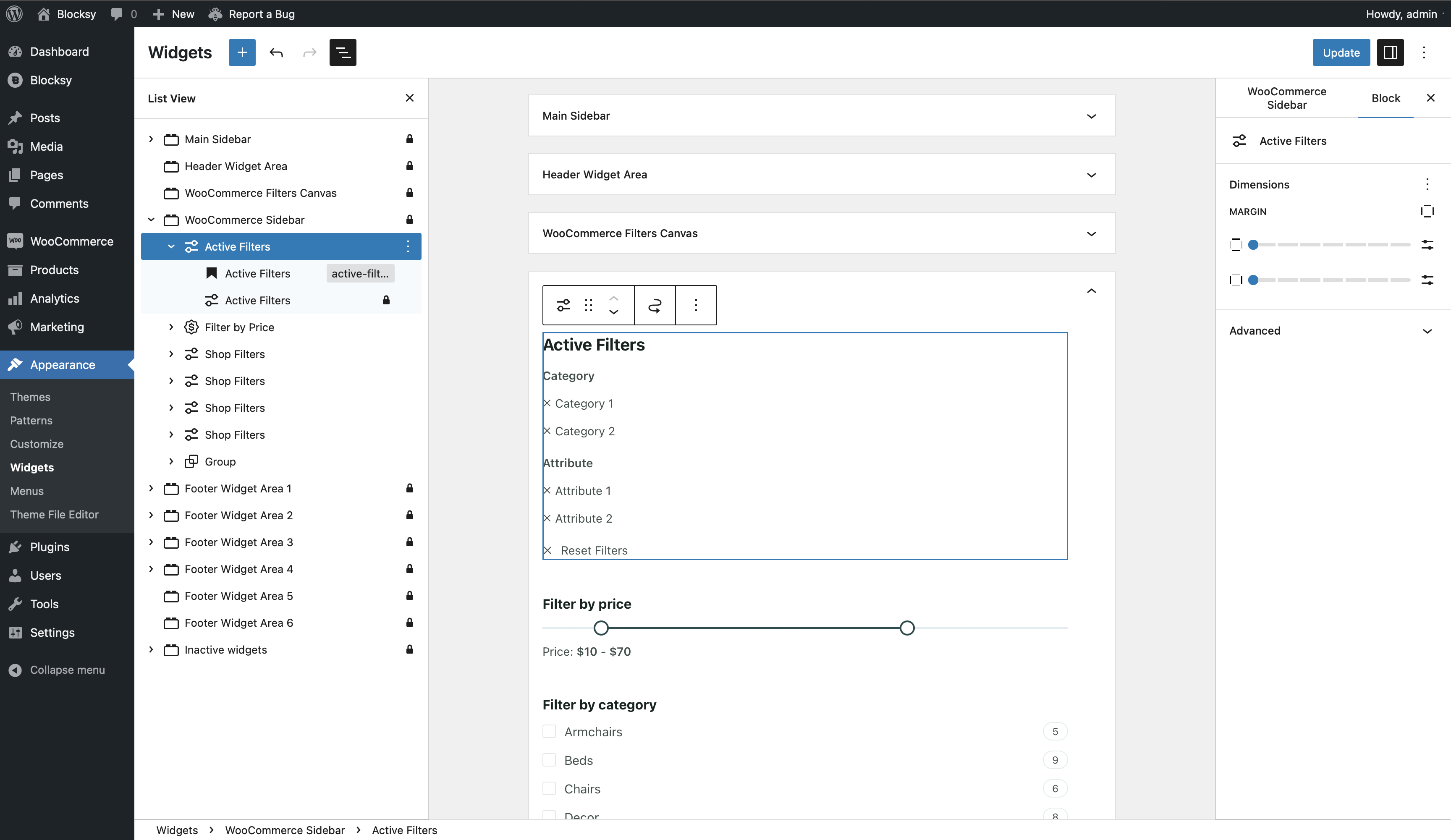
The Active Filters block displays the filters currently applied to a WooCommerce product listing, giving customers a clear overview of the criteria being used to narrow down the catalogue.
As customers interact with Blocksy’s product filtering controls, the block updates automatically to reflect their current selections. It can be placed alongside your filters in a sidebar, Filters Canvas or another suitable block-based layout.
Blocksy Pro required
The Active Filters block is designed to work with the Product Filters module included with the Shop Extra extension. WooCommerce, Blocksy Companion Pro and the Filters module need to be active for the filtering functionality to be available.
Getting Started
Before adding the Active Filters block, make sure the Product Filters module is enabled:
- Navigate to WordPress Dashboard → Blocksy → Extensions.
- Locate and expand the Shop Extra extension.
- Enable the Filters module.
- Open the block editor for the area where you want to display the active selections.
- Open the block inserter, search for Active Filters and add the block to your layout.
The block works alongside Blocksy’s other product-filtering controls, such as the Shop Filters block, and reflects the supported filters currently applied to the product archive.
Granular Controls
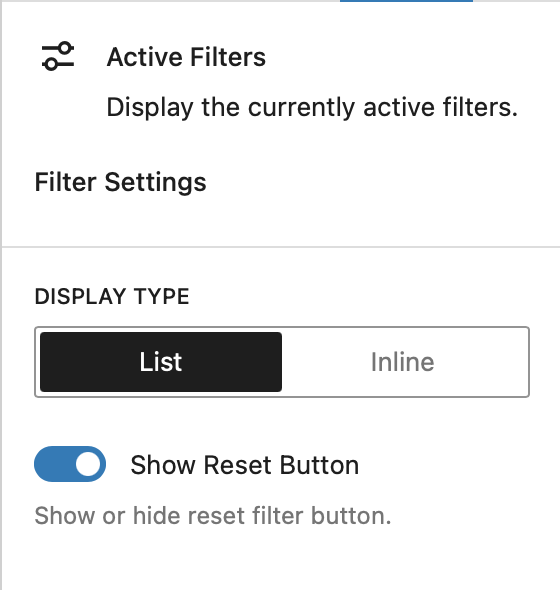
Display Type
Choose how the active filter selections are arranged inside the block:
- List – displays each active filter on its own line in a vertical arrangement.
- Inline – places the active filters next to one another and allows them to wrap onto additional lines when necessary.
Show Reset Button
Enable the Show Reset Button option to provide a single control for clearing the currently applied product filters and returning the product listing to its unfiltered state.