



The Social Network Accounts panel provides a central place to configure the social profiles connected to your website. Once added, these accounts can be reused throughout Blocksy wherever social links are supported.
To manage your accounts, navigate to Customiser → General Options → Social Network Accounts.
Quick Look
Managing Social Network Accounts
Add the profile URLs for the social networks you want to make available across your website. Blocksy uses these centrally configured accounts as a shared source for supported Socials elements and blocks.
This means you can update a social profile once from the Social Network Accounts panel instead of re-entering the same URL in every location where it is displayed.
Using Your Social Accounts
Once your profiles have been configured, they can be displayed in several areas of your website.
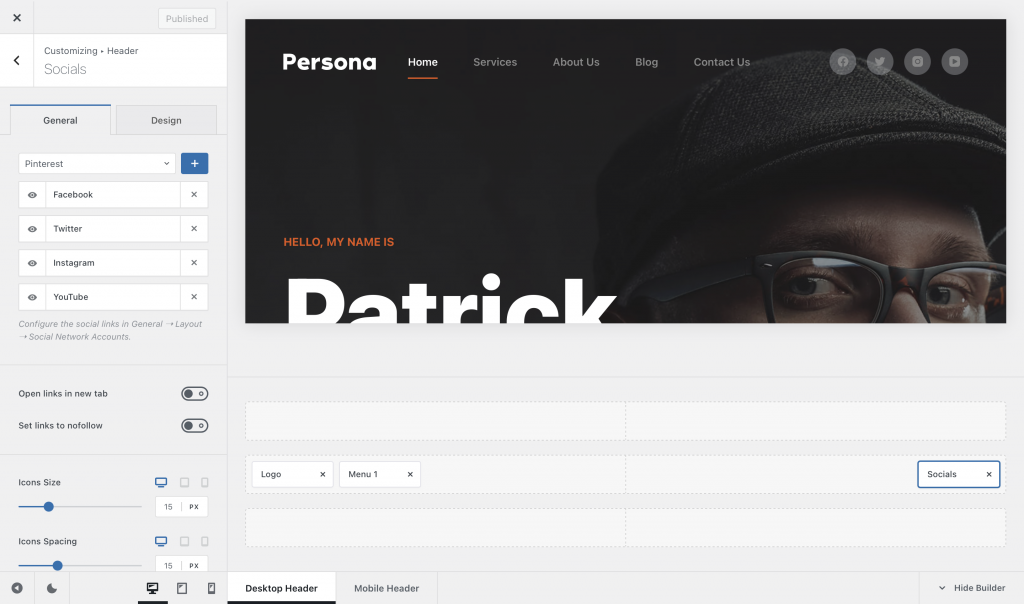
Header Socials
The Socials element in the Header Builder can display any of the accounts configured in the global Social Network Accounts panel.
Footer Socials
The Footer Socials element works in the same way, letting you select from the centrally configured accounts and place them anywhere within the Footer Builder.
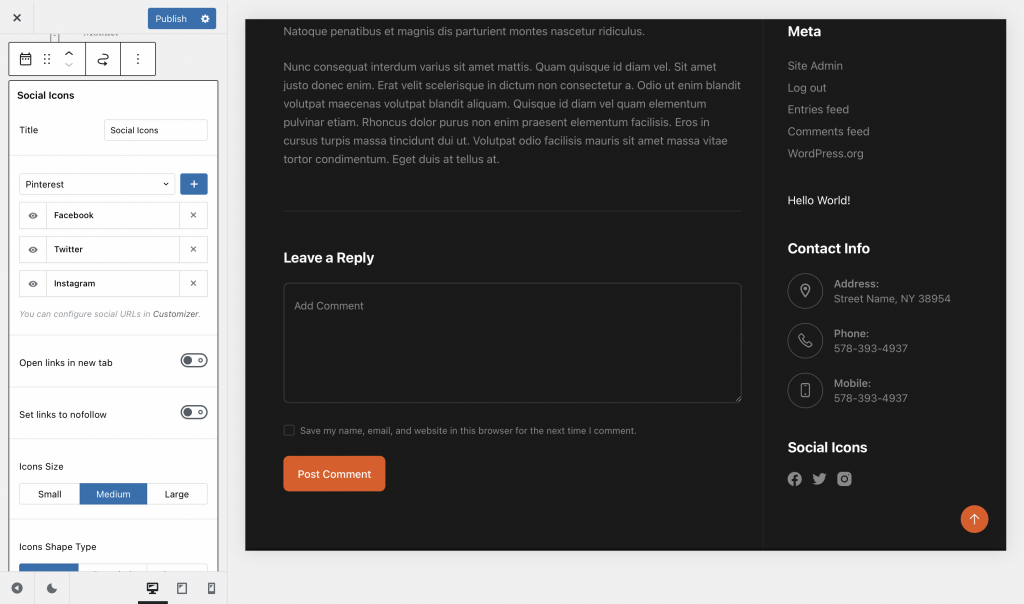
Socials Block & Widget Areas
Blocksy’s Socials block can be added to posts, pages and supported widget areas. It can use the accounts configured globally, or individual social channels can be adjusted directly from the block settings when a specific location needs a different configuration.
Element-Specific Controls
The Social Network Accounts panel only defines the profiles themselves. The appearance and behaviour of those links are configured from the individual Socials element or block where they are displayed.
Depending on the element, these controls can include which networks are visible, whether links open in a new tab, whether nofollow is applied, icon size and spacing, icon shape, Color settings, alignment and responsive visibility.