



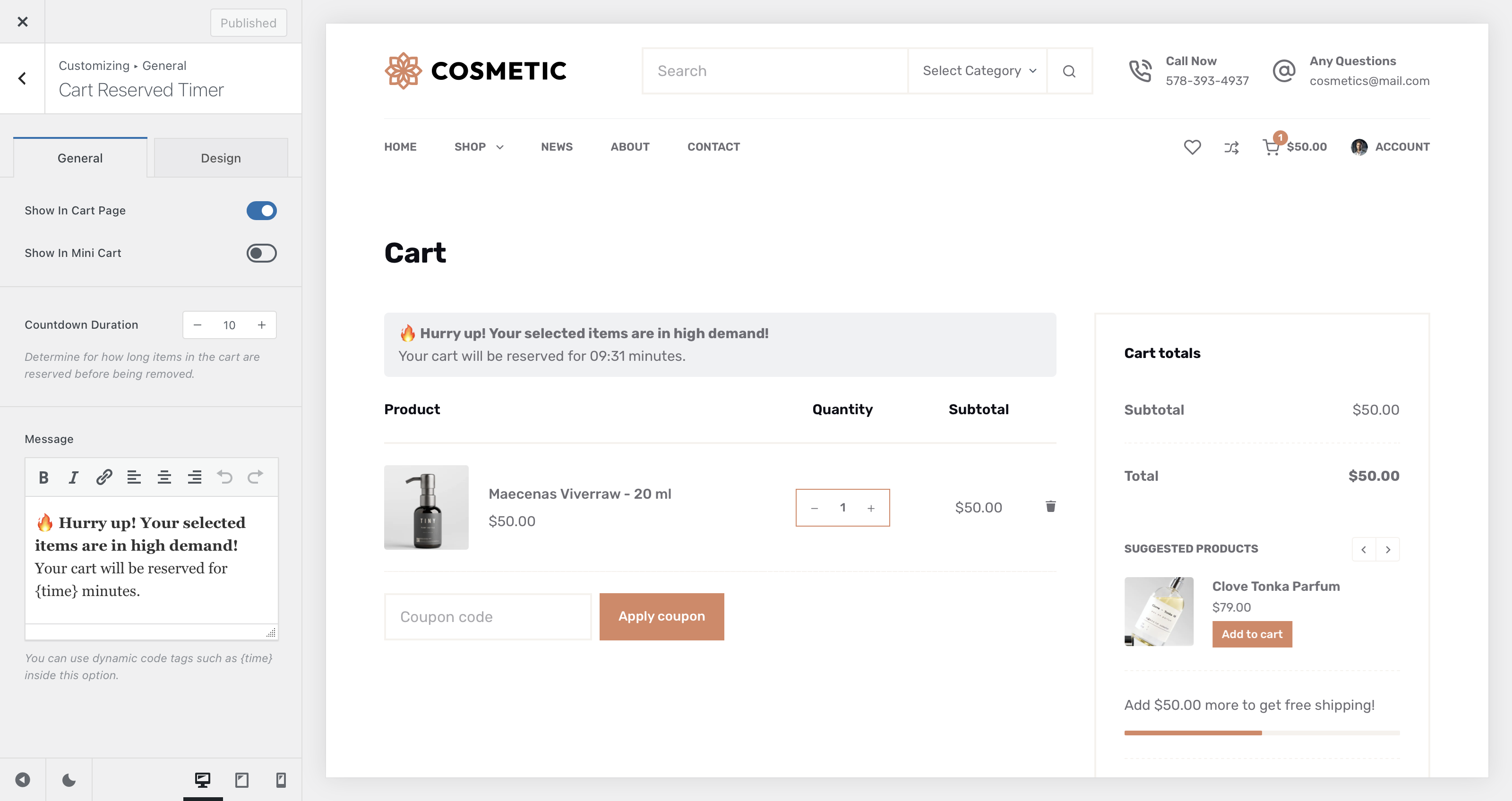
The Cart Reserved Timer module from the Shop Extra extension in Blocksy Pro introduces a powerful way to create a sense of urgency during the shopping process. It allows you to reserve a customer’s cart contents for a set period of time and display a countdown timer reminding them to complete their purchase before the reservation expires.
In addition to the main timer, the module includes a subtle notification option that can appear on the Cart page, inside the Mini Cart header element, or both — keeping customers aware of their remaining time no matter where they are on your site.
Activating the Module
To enable the Cart Reserved Timer module, follow these steps:
- Open your WordPress Dashboard.
- Click Blocksy in the sidebar.
- Go to the Extensions tab.
- Locate the Shop Extra extension.
- Find the Cart Reserved Timer module and toggle it on.
Once activated, a new configuration panel will appear under Customizer → WooCommerce General → Cart Reserved Timer, where you can adjust the timer’s behavior and display options.
Granular Controls
Show In
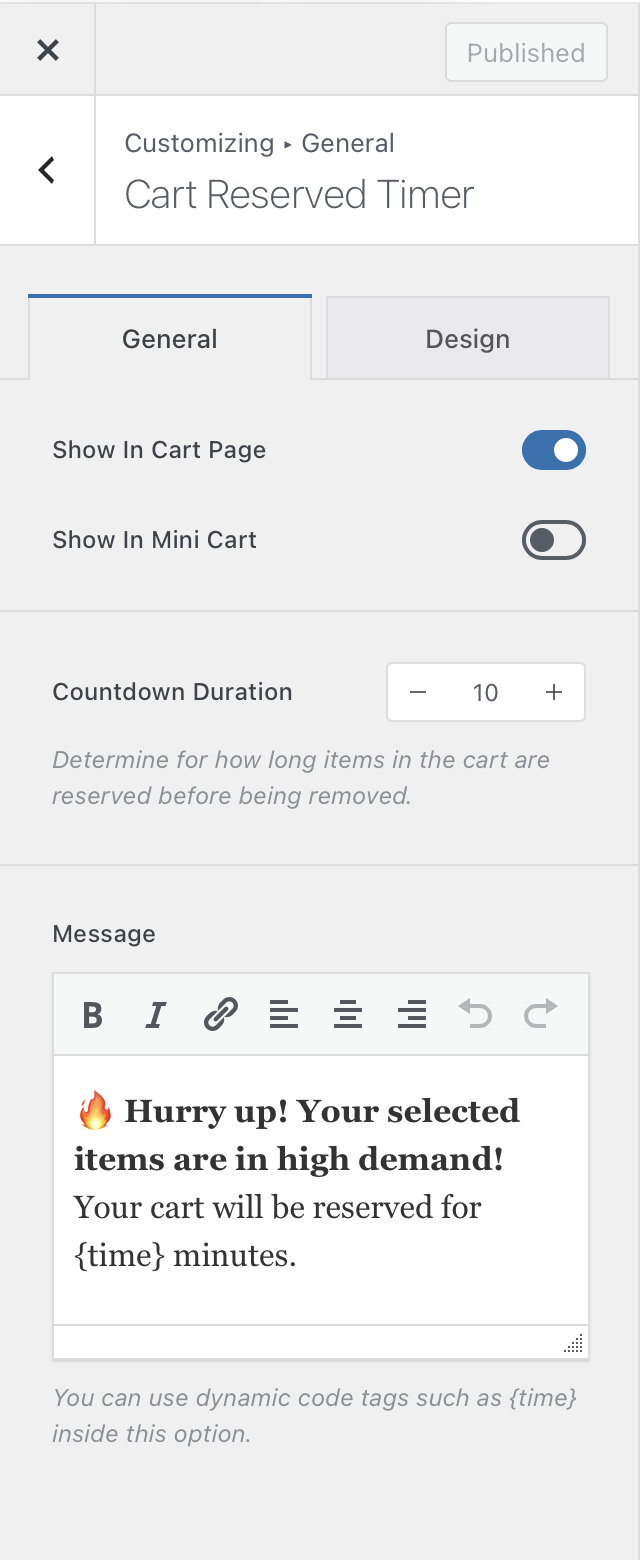
Decide where the countdown timer will appear — on the Cart page, inside the Mini Cart element, or both.
Countdown Duration
Set how long the cart remains reserved. The countdown begins as soon as the user adds their first product to the cart. If the timer runs out before checkout, the cart is automatically emptied.
Message
Customise the message displayed alongside the timer to encourage shoppers to finalize their purchase before their reserved time expires.
⚠️ Stock Reservation Behaviour
When a customer adds a product with limited stock to their cart, the module immediately reserves that quantity, reducing the product’s available stock in real time. This ensures that inventory is accurately reflected across your store while the countdown is active, preventing multiple customers from purchasing the same item at once. If the countdown expires before checkout, the reserved stock is automatically released back into inventory.