



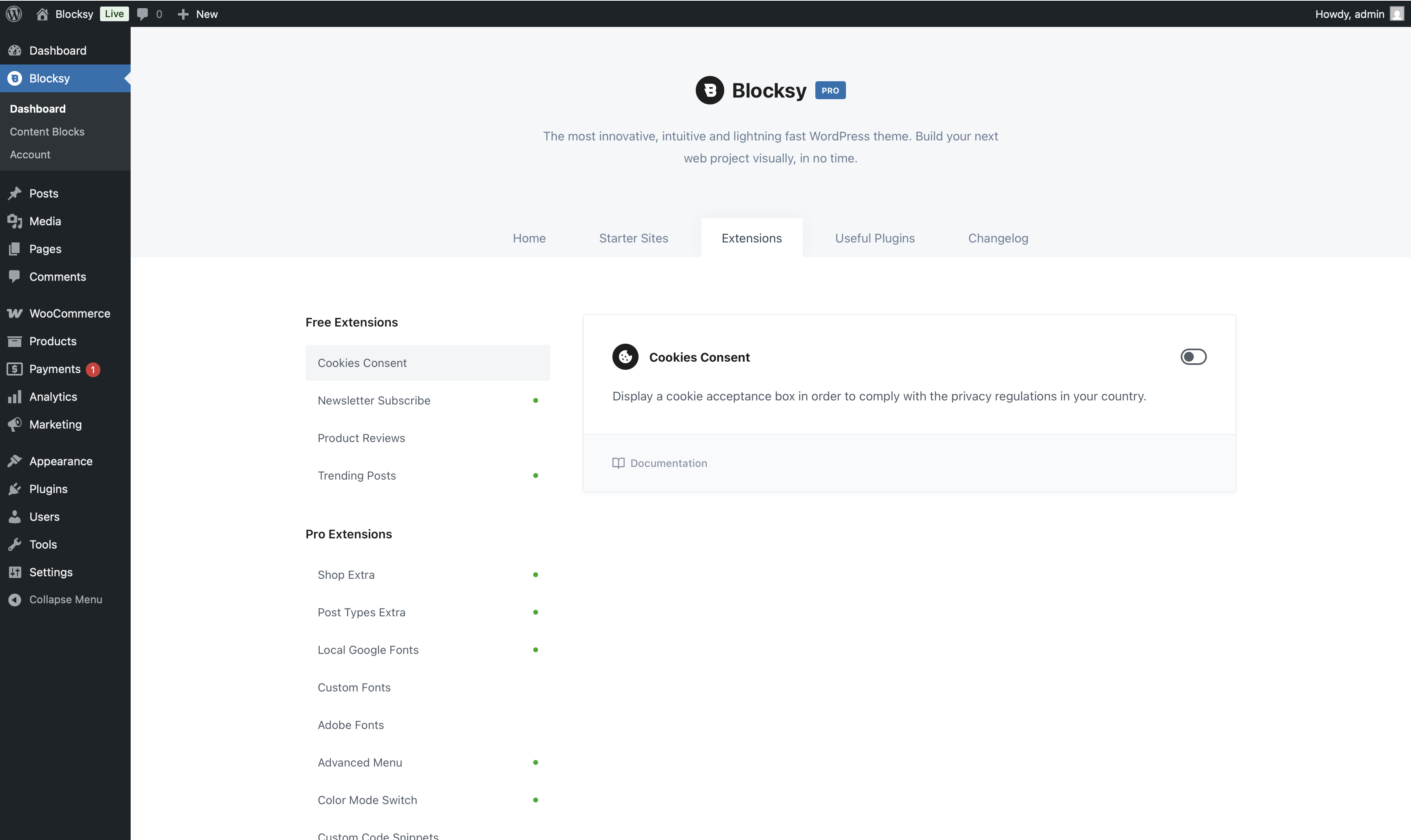
Blocksy Extensions add optional functionality on top of the core theme, allowing you to enable only the features that are useful for your website. They cover areas such as navigation, typography, content, WooCommerce and administration.
After installing and activating Blocksy Companion, open WordPress Dashboard → Blocksy → Extensions to see the Extensions available for your installation. Most can be enabled or disabled individually whenever you need them.
Extension availability
The Extensions shown in your Blocksy Dashboard depend on whether you are using Blocksy Free or Blocksy Pro and, for some advanced Extensions, which Blocksy Pro plan is active.
Free Extensions
The following Extensions are available with the free Blocksy Companion plugin.
- Cookies Consent – add a configurable cookie consent notice and connect it with supported Blocksy functionality such as the built-in Google Analytics integration.
- Newsletter Subscribe – create newsletter subscription forms using the dedicated Gutenberg block, Single Post integration or shortcode.
- Product Reviews – add a dedicated post type for publishing structured editorial or affiliate-style product reviews.
- Trending Posts – highlight popular posts, products or other supported content using a dedicated section.
Blocksy Pro Extensions
Blocksy Pro unlocks additional Extensions for more advanced design, content and workflow requirements. The list below groups them by their primary purpose to make it easier to find the functionality you need.
Typography
- Adobe Fonts – connect an Adobe Fonts project and make its typefaces available throughout Blocksy’s typography controls.
- Custom Fonts – upload your own standard or variable font files and make them available throughout Blocksy’s typography system.
- Local Google Fonts – download selected Google Fonts to your own server instead of loading them remotely, with controls for font variations and preloading.
Navigation & Layout
- Advanced Menu – extend WordPress menus with features such as Mega Menus, Content Blocks, headings, icons, badges and other advanced menu-item controls.
- Multiple Sidebars – create additional widget areas and use Blocksy’s Conditional Module to control where each sidebar is displayed.
- Shortcuts Bar – add a persistent shortcuts interface for quick access to important website actions and destinations.
- Color Mode Switch – add an alternate Color scheme and let visitors switch between the available modes, with optional support for following the operating system’s Color preference.
Content & Development
- Custom Code Snippets – add custom CSS or JavaScript globally or to individual posts and pages without modifying the theme’s files.
- Post Types Extra (Business and Agency) – extend posts and Custom Post Types with functionality such as Dynamic Data, Reading Time, archive filtering, taxonomy customisations and other content-focused features.
WooCommerce
- Shop Extra (Business and Agency) – unlock advanced WooCommerce functionality including Wishlist, Compare, Quick View, Variation Swatches, advanced product filters, Size Guides, custom product tabs and other shop enhancements.
Administration
- White Label (Agency) – replace Blocksy’s visible branding with your own and control which Blocksy-related areas remain accessible inside the WordPress Dashboard when delivering websites to clients.