



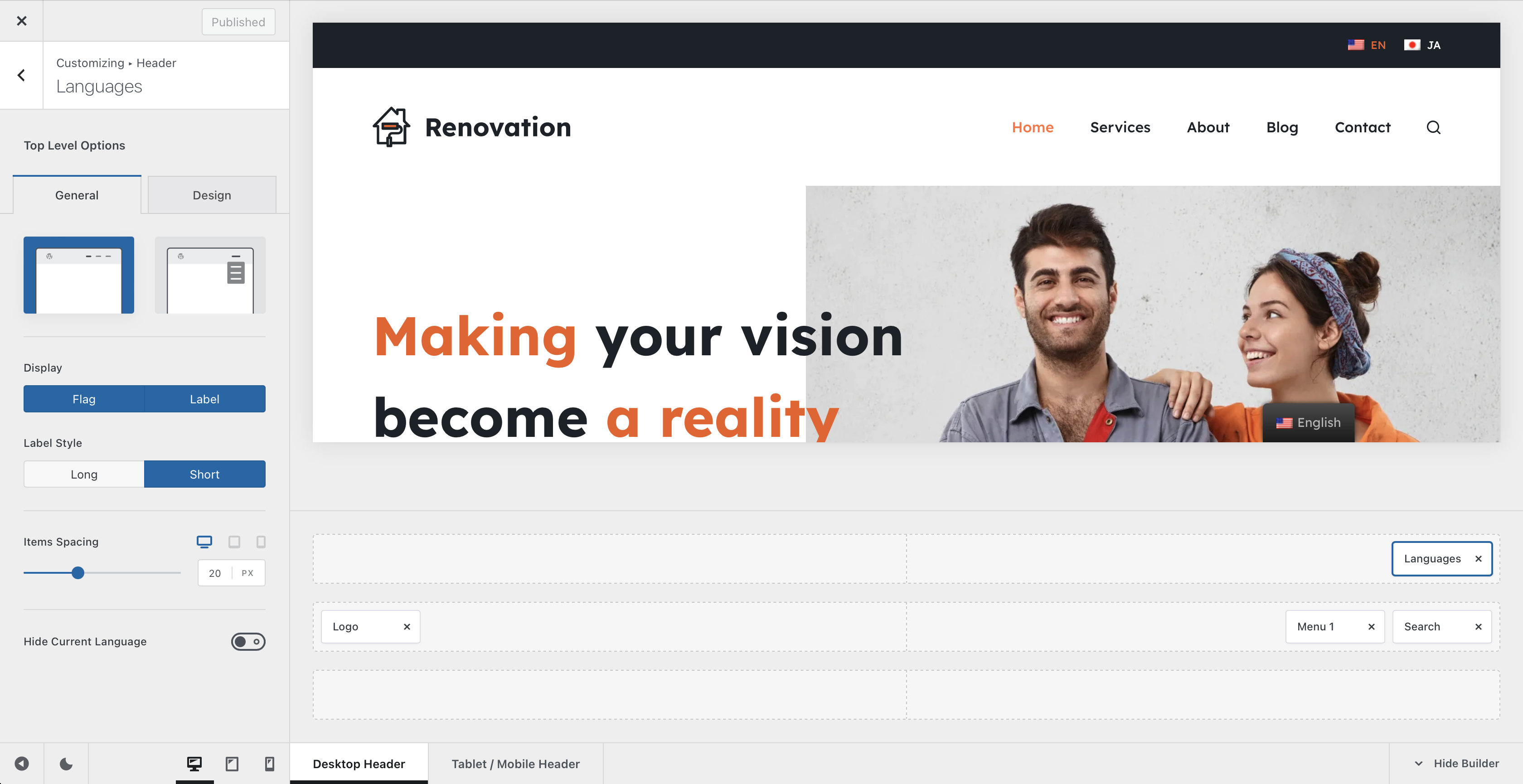
The Languages element adds a language switcher to your website’s header, allowing visitors to move between the translated versions of your content provided by a compatible multilingual plugin.
The element integrates with popular multilingual solutions including:
- WPML
- Polylang
- TranslatePress
Once a supported multilingual plugin is configured, open the Customiser → Header, drag the Languages element into the desired header row or supported area, and select it to configure its appearance.
Blocksy Pro required
The Languages header element is available with Blocksy Pro and works together with the language configuration provided by your multilingual plugin.
Granular Controls
Style
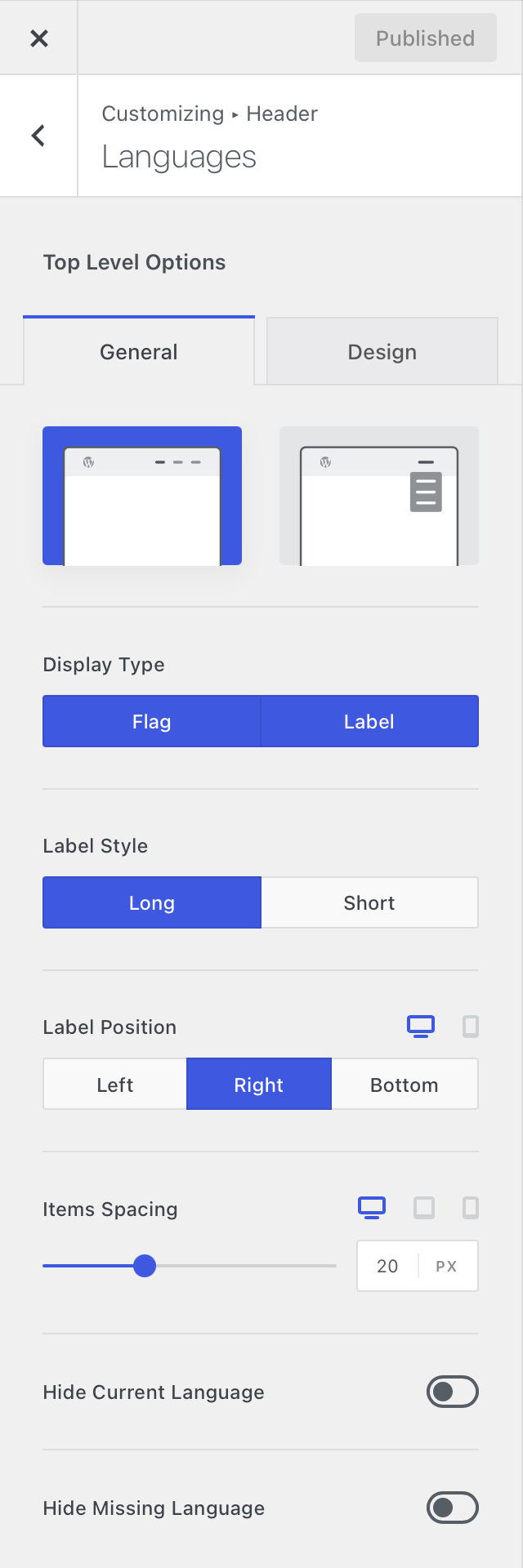
Choose how the available languages are presented in the header:
- Inline – displays the available languages alongside one another.
- Dropdown – keeps the selector compact and reveals the available languages from a dropdown menu.
Display & Label Style
Control which information is used to represent each language. You can display the language flag, its text label, or combine both.
The label style can also be adjusted to use the full language name or a shorter language code, helping the selector fit comfortably into more compact header layouts.
Hide Current Language
Enable Hide Current Language to remove the active language from the list of available choices. Visitors will then see only the other languages they can switch to.
This can be particularly useful when the website uses only two languages or when you want to keep the language selector as compact as possible.
Hide Missing Language
Enable Hide Missing Language to automatically remove languages that do not have a translation available for the page currently being viewed.
This prevents visitors from being presented with language options that cannot lead to a translated version of the current content, keeping the selector relevant to each page.