



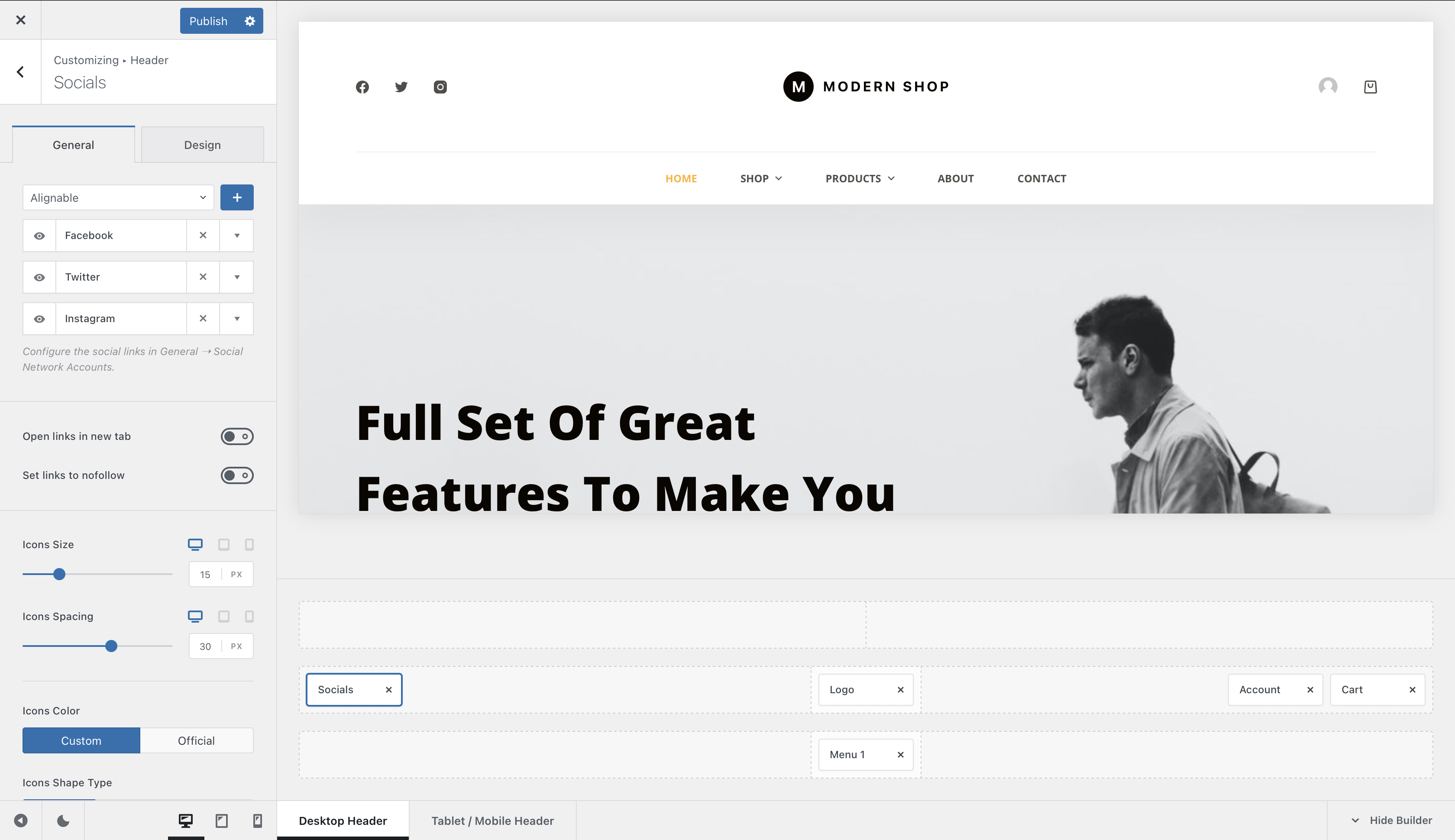
The Socials element displays links to your social profiles directly inside the website header. It uses the accounts configured globally in Blocksy, while providing its own controls for deciding which networks are shown and how their icons are presented.
To use it, open the Customiser → Header, drag the Socials element into the desired header row or supported area, and select it to configure its appearance.
Configure your social profiles first
Social network accounts are managed globally under Customiser → General Options → Social Network Accounts. The Socials element then lets you choose which of those configured profiles should appear in the header.
Granular Controls
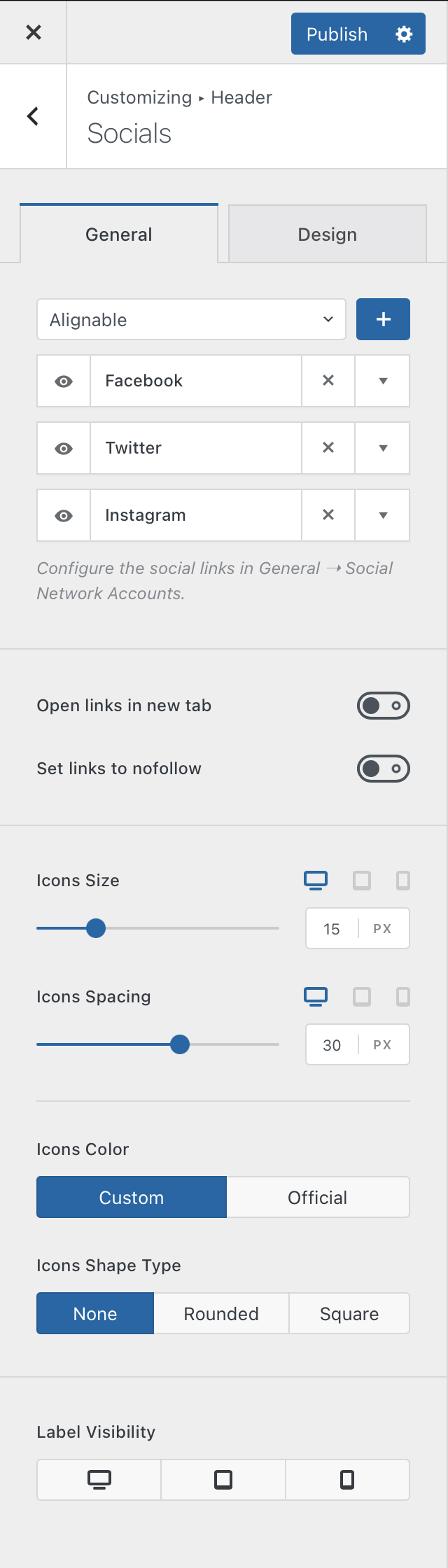
Social Networks
Choose which of your configured social networks should be displayed by the element. This lets you use the same globally configured accounts while showing a different selection of networks in the header when needed.
Each displayed icon links visitors directly to the URL configured for that social network.
Link Controls
Choose whether social links should open in a new tab when selected.
You can also apply the nofollow relationship to the links when this is appropriate for your website’s linking policy.
Icon Size & Spacing
Adjust the icon size and the amount of spacing between individual social network icons to match the proportions of the surrounding Header Elements.
Icon Colors
Choose how Colors are applied to the social icons:
- Custom – uses the Colors configured through the element’s design controls, giving all icons a consistent appearance.
- Official – uses the recognisable brand Color associated with each social network.
Icon Shape Type
Choose whether the social icons are displayed on their own or inside an additional shape. The available shape styles let you create rounded or more squared presentations to better match the rest of the header design.
Label Visibility
Control whether the text labels associated with the social networks are displayed on desktop, tablet and mobile devices independently. This lets you combine icons and labels where space allows while keeping a more compact icon-only layout on smaller screens.